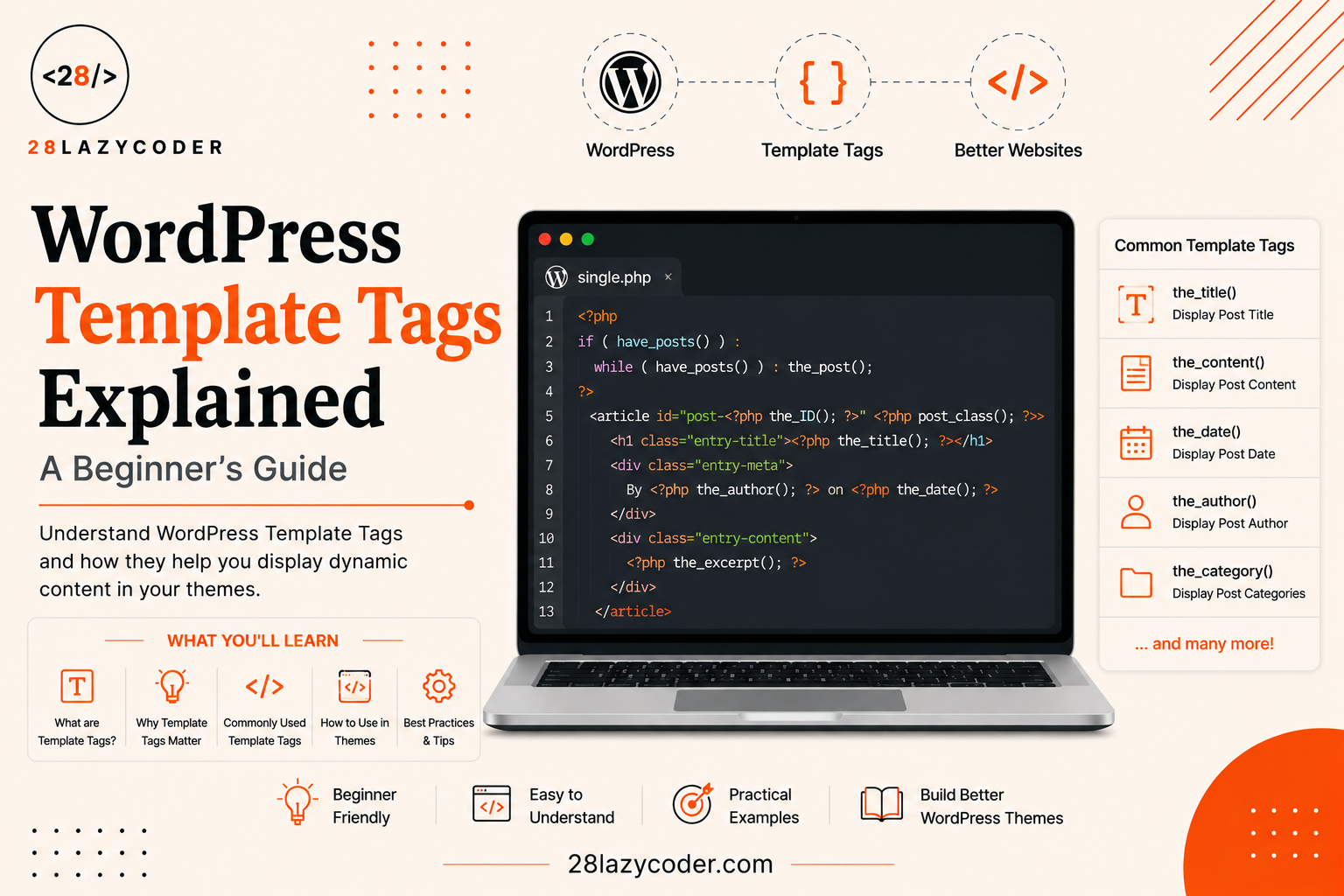
Have you ever opened a WordPress theme file and seen little snippets like the_title() or the_content() sitting inside the PHP code, and wondered what on earth they’re doing there?
I remember the first time I opened single.php in a WordPress theme. I saw a bunch of these small function-looking things scattered around, and none of them looked like normal PHP. No $variable = something;. Just short little words followed by round brackets, like the_title(); and the_permalink();. I had no idea they were the reason my blog post’s title and link were even showing up on the page.
Once someone explained it to me in plain English, everything clicked. These are called template tags, and once you understand them, WordPress theme files stop looking like magic and start looking like simple, readable instructions.
That’s exactly what we’re doing in this guide breaking template tags down so simply that even a complete beginner can follow along.
What Are WordPress Template Tags? (Explained Simply)
Let’s start with something you already know — a fill-in-the-blanks worksheet from school.
Imagine a worksheet that says: “My name is ______. I am ______ years old. My favorite subject is ______.” The worksheet itself never changes. But every student who picks it up fills in their own name, age, and subject. The same blank worksheet produces a different, personalized answer sheet for every single student.
A template tag in WordPress works exactly like one of those blanks. It’s a small, ready-made PHP function (a reusable block of code that does one specific job) that WordPress gives you to “fill in the blank” with real content like a post’s title, its content, its author’s name, or a link to it.
So when you write:
php
<h1><?php the_title(); ?></h1>You’re not typing the actual title of your blog post. You’re placing a “blank” there. WordPress fills it in automatically with whichever post is currently being viewed.
Why do we need this? Because your theme file is reused for every single post on your website. You don’t write a separate single.php file for every blog post that would mean hundreds of files. Instead, one single.php file uses template tags, and WordPress fills in the right details depending on which post the visitor is currently looking at.
What problem does it solve? Without template tags, you’d have no simple way to pull dynamic content (content that changes depending on the page) out of the WordPress database and show it in your theme. You’d have to write raw database queries by hand for every little thing the title, the date, the author, the featured image which would be slow and error-prone for beginners.
What happens if you don’t understand them? You’ll keep copy-pasting theme code without knowing what each line actually does, and you’ll struggle the moment you need to customize anything — like showing the author’s name next to the title, or changing how the date is formatted.
Did You Know? Template tags have existed in WordPress since its very early versions. They’re one of the oldest and most fundamental building blocks of WordPress theme development, and they’re still used in classic PHP-based themes today.
Why Does WordPress Use Template Tags At All?
Think about a restaurant menu card. The printed menu doesn’t say “Today, the soup is tomato soup, and the price is 150 rupees.” Instead, most menus use a smarter system a waiter simply tells you what’s available that day, based on what the kitchen has prepared.
WordPress works the same way. Your theme file is like the menu design it stays the same. Template tags act like the waiter, checking what’s actually available (the real post data stored in the database) and presenting it to the visitor.
This separation is powerful because:
- One file, many pages. A single
single.phpfile can correctly display hundreds of different blog posts. - You don’t touch the database directly. Template tags safely fetch and prepare the data for you, so you don’t need to know complicated database query language.
- Themes stay flexible. You can rearrange, style, or hide any piece of content just by moving or wrapping a template tag without breaking anything.
The Two Types of Template Tags You Should Know
Not all template tags behave the same way. Beginners usually get confused here, so let’s clear it up with a simple rule.
“the_” Tags vs “get_the_” Tags
Most content-related template tags come in pairs. One version starts with the_ and the other starts with get_the_.
| Type | What It Does | Example |
|---|---|---|
the_...() | Displays (echoes) the content directly on the page | the_title(); |
get_the_...() | Returns the content as a value, without displaying it | get_the_title(); |
Think of it like ordering food two different ways:
the_title();is like telling the waiter, “Bring the soup and pour it directly into my bowl right now.” It shows the content immediately.get_the_title();is like saying, “Just hand me the soup in a container.” You get the value back, but nothing appears on the page until you decide to use it maybe to check something first, or combine it with other text.
Real-world use case: If you simply want to show a post’s title, use the_title();. But if you want to check the title before showing it — for example, only displaying it if it’s shorter than 50 characters you’d use get_the_title() first, store it in a variable, check it, and then decide whether to print it.
php
<?php
$title = get_the_title(); // gets the value, doesn't print anything yet

if ( strlen( $title ) < 50 ) {
    echo '<h2>' . $title . '</h2>'; // now we decide to print it
}
?>
Explaining every line:
$title = get_the_title();fetches the current post’s title and stores it inside a variable (a labeled container that holds a value) called$title, without printing anything.strlen( $title )a plain PHP function that counts how many characters are in the title.if ( strlen( $title ) < 50 )only runs the code inside if the title has fewer than 50 characters.echo '<h2>' . $title . '</h2>';manually prints the title wrapped inside an<h2>heading, but only when the condition above is true.
Interview Tip: A very common WordPress interview question is “What’s the difference between
the_title()andget_the_title()?” The short, correct answer:the_title()prints the value directly, whileget_the_title()returns the value so you can store, modify, or conditionally use it first.
Common Template Tags You’ll Use All the Time
Let’s go through the template tags a beginner runs into almost immediately when opening a WordPress theme.
Post Content Tags
These are used inside the Loop — WordPress’s built-in system that cycles through your posts one at a time to display them (you can read more about how this fits into theme files in our guide on the WordPress template hierarchy).
php
<?php the_title(); ?>       // Prints the post title
<?php the_content(); ?>     // Prints the full post content
<?php the_excerpt(); ?>     // Prints a short summary of the post
<?php the_permalink(); ?>   // Prints the direct URL link to the post
<?php the_author(); ?>      // Prints the name of the post's author
<?php the_date(); ?>        // Prints the publish date of the post
<?php the_category(); ?>    // Prints the category (or categories) the post belongs to
Real-world use case: In almost every blog theme’s single.php file, you’ll find the_title() for the heading, the_content() for the article body, and the_date() and the_author() sitting together near the top, just like a byline in a newspaper.
Structural Tags
These don’t deal with post content at all. Instead, they pull in reusable pieces of your theme, like the header and footer.
php
<?php get_header(); ?>   // Loads header.php
<?php get_footer(); ?>   // Loads footer.php
<?php get_sidebar(); ?>  // Loads sidebar.php
Why it matters: Instead of copy-pasting your navigation menu and site logo code into every single template file, you write it once inside header.php, and every page simply calls get_header(); to pull it in. This is the same “don’t repeat yourself” idea you’ll notice throughout well-organized WordPress theme functions as well.
Site Information Tags
These print general details about your website, not about a specific post.
php
<?php bloginfo( 'name' ); ?>          // Prints your website's name
<?php bloginfo( 'description' ); ?>   // Prints your site's tagline
<?php wp_title(); ?>                  // Prints the page title (older method)
Real-world use case: bloginfo( 'name' ) is commonly used inside header.php, so your site’s name automatically appears in the logo text or browser tab — without you having to hard-code your site’s name into the theme.
Conditional Tags: Template Tags That Ask “Is This True?”
There’s a special sub-family of template tags called conditional tags. Instead of printing content, they answer a yes or no question about the current page, similar to how an if statement works in any programming language.
Think of them like a security guard checking an ID card before letting you into different rooms of a building. The guard doesn’t hand you anything — they simply check a condition and decide what happens next.
php
<?php if ( is_home() ) : ?>
    <p>You are viewing the blog homepage.</p>
<?php elseif ( is_single() ) : ?>
    <p>You are viewing a single blog post.</p>
<?php elseif ( is_page() ) : ?>
    <p>You are viewing a static page.</p>
<?php else : ?>
    <p>You are somewhere else on the site.</p>
<?php endif; ?>
Explaining every line:
is_home()— returnstrueif the visitor is on the main blog listing page.is_single()— returnstrueif the visitor is viewing one individual blog post.is_page()— returnstrueif the visitor is viewing a static page, like “About” or “Contact.”elseif/else— standard PHP logic that checks each condition in order, and falls back to the last option if none of the earlier ones match.
Real-world use case: Conditional tags are extremely common inside header.php. For example, a theme might show a big banner image only on the homepage, by wrapping it in if ( is_home() ) { ... }, and hide it everywhere else.
| Conditional Tag | Returns True When… |
|---|---|
is_home() | The main blog posts page is being shown |
is_single() | A single blog post is being viewed |
is_page() | A static page is being viewed |
is_category() | A category archive page is being viewed |
is_search() | Search results are being shown |
is_404() | The page was not found (a broken link) |
Template Tags vs Template Hierarchy: What’s the Difference?
Beginners often mix these two ideas up, since both are about “WordPress showing the right thing.” Here’s a clear comparison.
| Feature | Template Tags | Template Hierarchy |
|---|---|---|
| What it controls | What content gets printed inside a file | Which file gets loaded in the first place |
| Real-life analogy | The fill-in-the-blank worksheet | Choosing which classroom to walk into |
| Example | the_title() printing a post’s title | WordPress choosing single.php over index.php |
| When it’s used | Inside a template file, to display data | Before a template file even loads |
Simple rule of thumb: The template hierarchy decides which file WordPress opens for a given page. Template tags decide what actually shows up once that file is open. You need both working together to build a real WordPress theme.
How Template Tags Fit Into a Real Template File
Here’s a simplified but realistic single.php file, so you can see template tags working together in context.
php
<?php get_header(); ?>

<main class="site-content">
  <?php if ( have_posts() ) : while ( have_posts() ) : the_post(); ?>

    <article>
      <h1><?php the_title(); ?></h1>

      <p>
        By <?php the_author(); ?> on <?php the_date(); ?>
        in <?php the_category( ', ' ); ?>
      </p>

      <div class="entry-content">
        <?php the_content(); ?>
      </div>
    </article>

  <?php endwhile; endif; ?>
</main>

<?php get_footer(); ?>
Explaining every line:
get_header();— pulls in the shared header, so navigation and branding appear the same on every page.if ( have_posts() ) : while ( have_posts() ) : the_post();— this is the Loop.have_posts()checks if there’s a post to show, andthe_post()sets up that post’s data so the template tags below know which post they’re working with.the_title();,the_author();,the_date();,the_category( ', ' )— these template tags print the current post’s details, withthe_category()accepting a separator (like a comma) as a parameter when there’s more than one category.the_content();— prints the full body of the blog post.get_footer();— pulls in the shared footer.
Best Practice: Template tags that pull post-specific data (like
the_title()orthe_content()) only work correctly inside the Loop. Trying to use them outside the Loop, without telling WordPress which post you mean, is one of the most common beginner mistakes.
Common Mistakes Beginners Make
Common Mistake #1: Using
the_title()outside the Loop and expecting it to work. Without the Loop setting up “which post are we talking about,” these tags either show nothing or show data from the wrong post.
Common Mistake #2: Confusing
the_...()andget_the_...()tags, then wondering whyecho get_the_title();shows the title twice, or why usingthe_title();inside a PHP string causes errors.
Common Mistake #3: Forgetting that some template tags accept parameters (extra instructions inside the brackets), like
the_excerpt( 20 )to limit word count, and just assuming every tag works with empty brackets.
Common Mistake #4: Editing WordPress’s own core files to “customize” a template tag’s output, instead of using a WordPress hook or filter to safely change what a tag displays.
Common Mistake #5: Placing theme customizations directly in the parent theme instead of a child theme, so all custom template tag work gets wiped out the moment the theme updates.
Best Practices for Working with Template Tags
- Always check the official WordPress Developer Resources page for a tag before using it some accept useful parameters you might not know about.
- Keep template tags inside the Loop whenever they’re meant to show post-specific data.
- Use
get_the_...()versions whenever you need to check, modify, or combine data before displaying it. - Wrap custom output changes in hooks and filters instead of editing core WordPress files directly.
- If you’re building a full custom theme, get comfortable with template tags early they show up constantly throughout custom WordPress theme development.
Interview Questions on WordPress Template Tags
- What is a WordPress template tag, and where is it typically used?
- What is the difference between
the_title()andget_the_title()? - Why do most content template tags only work correctly inside the Loop?
- What is a conditional tag, and how is it different from a regular template tag?
- How would you display a post’s title without immediately printing it to the page?
- Name two structural template tags used to build a page layout, and explain what each one loads.
Interview Tip: If asked to explain template tags in an interview, use the “fill-in-the-blank worksheet” analogy paired with one real example, like
the_title()versusget_the_title(). It shows you understand the underlying logic, not just a memorized list of function names.
Scenario-Based Problems and Solutions
Scenario 1: The Title Isn’t Showing Up
Problem: A beginner adds <?php the_title(); ?> inside header.php, outside the Loop, expecting it to show the current post’s title. Nothing appears.
Solution: the_title() needs to know which post it’s talking about, and that information only exists inside the Loop (after the_post(); has run). Since header.php usually loads before the Loop even starts, the tag has nothing to pull from. The fix is to either move the title display inside the actual template file’s Loop (like single.php), or, if a page title is genuinely needed in the header, use a dedicated function like wp_title() or the block-editor equivalent instead.
Scenario 2: Showing a Trimmed Version of the Content
Problem: A blog’s homepage shows the full the_content() for every post, making the page extremely long and slow to scroll.
Solution: Replace the_content(); with the_excerpt();, which automatically shortens the content to a short preview (around 55 words by default). If more control is needed, get_the_excerpt() can be fetched into a variable first, trimmed further with plain PHP string functions, and then echoed out manually.
Scenario 3: Showing Different Content on the Homepage Only
Problem: A client wants a special “Welcome” message to appear only on the blog’s homepage, and nowhere else on the site.
Solution: Wrap the welcome message inside a conditional tag: if ( is_home() ) { ... }. This checks whether the current page is the main blog listing page before printing anything, keeping the message from accidentally appearing on single posts, pages, or archives.
Scenario 4: Reusing the Same Header Across 20 Page Templates
Problem: A theme has grown to 20 different template files, and the header code was copy-pasted into every single one. Updating the logo now means editing 20 files.
Solution: Move all shared header code into one header.php file, then replace every copy-pasted block with a single call to get_header();. Now, updating the logo means editing one file instead of twenty — exactly the kind of structural cleanup that also makes a theme easier to hand off to another developer.
Trusted Sources & References
- WordPress Theme Handbook — Template Tags
- WordPress Theme Handbook — Template Tag & Conditional Tag References
- W3Schools — PHP Tutorial
Frequently Asked Questions (FAQs)
Q1. What exactly is a WordPress template tag? A template tag is a small, built-in PHP function that WordPress provides so theme files can display dynamic content like a post’s title, content, or author without hard-coding it.
Q2. Do all template tags need to be inside the Loop? No, but most tags that deal with a specific post’s data (like the_title() or the_content()) do need to be inside the Loop. Structural tags like get_header() and site-wide tags like bloginfo() can be used anywhere.
Q3. What’s the difference between a template tag and a conditional tag? A regular template tag usually prints content directly, like the_title(). A conditional tag answers a true-or-false question about the current page, like is_single(), and is normally used inside an if statement to control what gets shown.
Q4. Can I create my own custom template tag? Yes. You can write your own custom PHP function inside your theme’s functions.php file, and call it inside your template files just like a built-in template tag.
Q5. Why does the_title() sometimes show the wrong post’s title? This usually happens when the tag is used outside the Loop, or inside a secondary loop (like a “related posts” section) without properly resetting the post data using wp_reset_postdata().
Q6. Are template tags the same in block themes as in classic themes? Not exactly. Classic, PHP-based themes rely heavily on template tags inside PHP files. Newer block themes mostly use blocks and template parts instead, though many of the same underlying WordPress functions still work behind the scenes.
Conclusion
Template tags are one of the very first things that make WordPress theme files “click” for a beginner. Once you understand that they’re simply fill-in-the-blank functions some that print content immediately, and some that hand the content back to you first — the whole system stops feeling mysterious.
The next time you open a theme file and see something like the_title(); or the_excerpt();, you won’t just recognize it. You’ll know exactly what it’s doing, where it’s pulling its data from, and how to safely customize it.
Open up any WordPress theme’s single.php or page.php file right now, and try to spot every template tag you can find. That kind of hands-on practice is what makes this knowledge stick for good.
Continue Learning
- WordPress Template Hierarchy Explained: A Beginner’s Guide
- WordPress Hooks Explained: A Beginner-Friendly Guide to Actions and Filters
- WordPress functions.php Explained: What It Does and How to Use It
- WordPress Child Theme: A Complete Beginner’s Guide (With Examples)
- Custom WordPress Theme Development: A Complete Beginner’s Guide
- WordPress Custom Post Types Explained: A Beginner-Friendly Guide
Visit 28LazyCoder for more beginner-friendly web development tutorials.