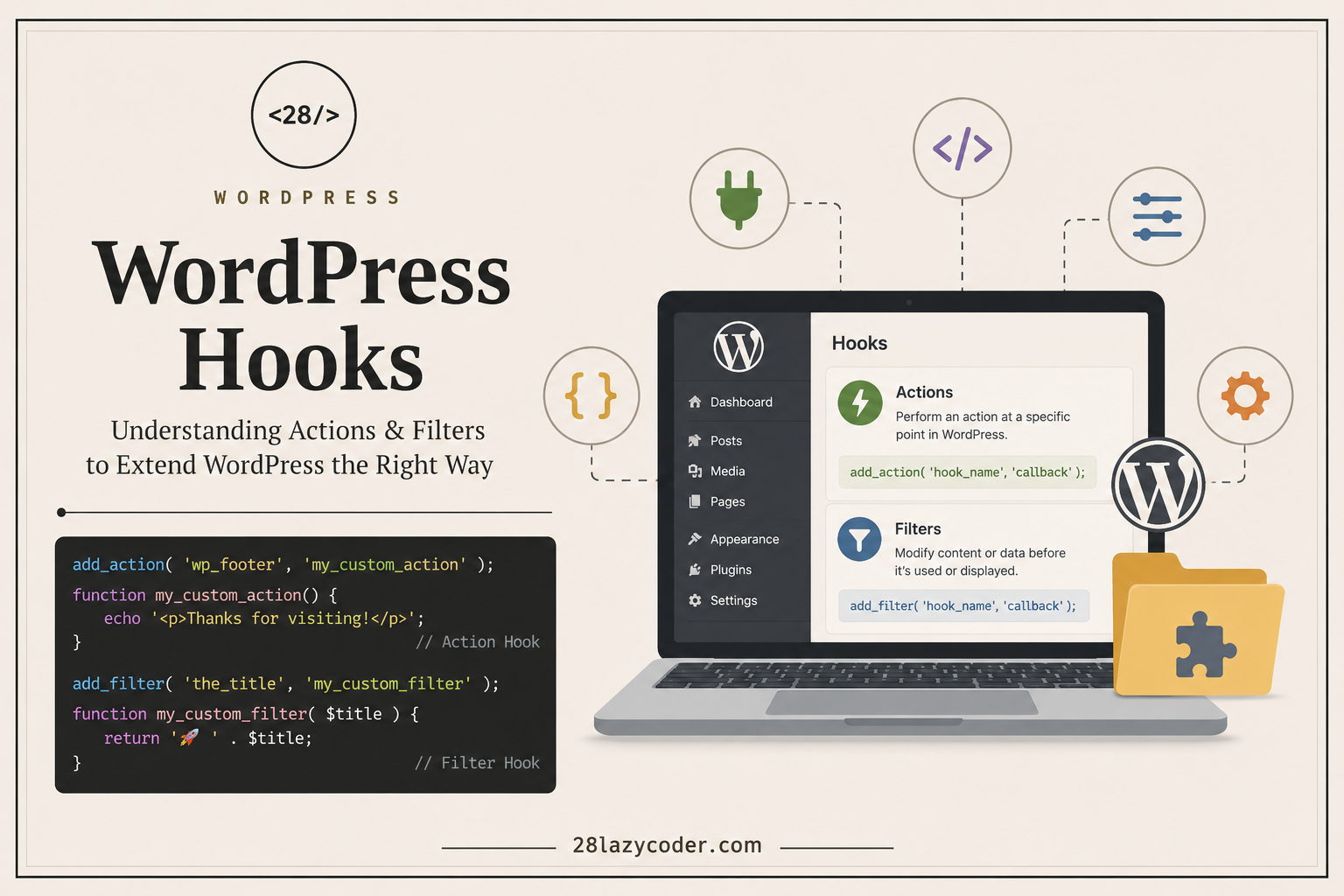
If you’ve spent any time exploring WordPress development, you’ve probably come across the term WordPress Hooks. At first glance, they can seem confusing or overly technical. But once you understand the concept, hooks become one of the most powerful tools in WordPress.
Think of hooks as connection points that let you customize how WordPress works without modifying its core files. Instead of editing WordPress itself (which is never recommended), you simply “hook” your own code into the places where WordPress expects it.
In this guide, we’ll break down WordPress hooks in simple language, explain the difference between actions and filters, and show practical examples you can start using today.
What Are WordPress Hooks?
WordPress hooks allow developers to run custom code at specific points during the execution of WordPress.
Imagine WordPress as a train moving along a track. Along the route are several stations. At each station, WordPress gives you an opportunity to perform an action or modify some data before continuing its journey.
Those stations are called hooks.
Hooks make WordPress incredibly flexible and are one of the main reasons thousands of plugins can work together without editing the WordPress core.
Why Are Hooks Important?
Without hooks, every customization would require editing WordPress core files.
That creates several problems:
- Your changes disappear after updates.
- Plugins become incompatible.
- Maintenance becomes difficult.
- Security risks increase.
Hooks solve all of these problems by giving you safe extension points.
Instead of changing WordPress, you simply tell WordPress:
“When you reach this point, also run my code.”
Types of WordPress Hooks
WordPress provides two types of hooks:
- Action Hooks
- Filter Hooks
Although they look similar, they serve different purposes.
Action Hooks
Action hooks let you execute custom code at specific moments.
They don’t change existing data—they simply perform an action.
For example:
- Add custom CSS or JavaScript
- Send an email
- Display additional content
- Register custom post types
- Create widgets
- Log user activity
Example
function my_custom_message() {
    echo '<p>Welcome to 28 Lazy Coder!</p>';
}

add_action('wp_footer', 'my_custom_message');
When the website footer loads, WordPress automatically runs your function.
The result:
Welcome to 28 Lazy Coder!appears before the closing footer.
Filter Hooks
Filters allow you to modify existing content before WordPress displays or saves it.
Unlike actions, filters receive data, modify it, and return the updated version.
For example, filters can:
- Change post titles
- Modify excerpts
- Edit email content
- Customize login messages
- Change image attributes
Example
function change_title($title) {
    return " " . $title;
}

add_filter('the_title', 'change_title');
Every post title will now begin with a rocket emoji.
Original title:
WordPress HooksUpdated title:
WordPress HooksAction vs Filter
| Action | Filter |
|---|---|
| Performs an action | Modifies data |
| Doesn’t return anything | Must return modified data |
| Used to add functionality | Used to customize output |
| Runs at specific events | Runs when data is processed |
A simple way to remember this is:
- Action = Do something
- Filter = Change something
Commonly Used Action Hooks
Here are some action hooks you’ll use frequently.
init
Runs after WordPress has loaded but before any content is displayed.
Common uses:
- Register custom post types
- Register taxonomies
- Create shortcodes
wp_enqueue_scripts
Used to load CSS and JavaScript files.
Example:
function lazycoder_scripts() {
    wp_enqueue_style(
        'main-style',
        get_stylesheet_uri()
    );
}

add_action('wp_enqueue_scripts', 'lazycoder_scripts');
wp_footer
Runs just before the closing </body> tag.
Useful for:
- Analytics
- Live chat widgets
- Tracking scripts
admin_init
Runs whenever the WordPress admin dashboard loads.
Useful for:
- Admin settings
- Custom dashboard functionality
Commonly Used Filter Hooks
the_content
Modify post content before it’s displayed.
function add_disclaimer($content) {

    if (is_single()) {
        $content .= "<p><strong>Thanks for reading!</strong></p>";
    }

    return $content;
}

add_filter('the_content', 'add_disclaimer');
excerpt_length
Customize the excerpt length.
function custom_excerpt_length() {
    return 25;
}

add_filter('excerpt_length', 'custom_excerpt_length');
body_class
Add custom classes to the body element.
function custom_body_classes($classes) {
    $classes[] = 'lazycoder-theme';
    return $classes;
}

add_filter('body_class', 'custom_body_classes');
Where Should You Add Hooks?
Depending on your project, hooks can be placed in:
- Theme’s
functions.php - A custom plugin
- A child theme
- A functionality plugin
For long-term projects, creating a custom plugin is usually the best option. This keeps your customizations separate from your theme, so changing themes won’t remove your functionality.
Best Practices
To keep your WordPress code clean and maintainable:
- Never edit WordPress core files.
- Use meaningful function names.
- Prefix custom functions to avoid naming conflicts.
- Keep one responsibility per function.
- Return values in filters.
- Escape output when displaying data.
- Use child themes for theme customizations.
Following these habits makes your code easier to understand and less likely to break after updates.
Real-World Example
Suppose you run a development blog like 28 Lazy Coder.
You might want to automatically display an author box below every article.
Instead of editing every blog post manually, you can use the the_content filter to append the author box automatically.
Or perhaps you want to load a syntax-highlighting library only on code-related articles. The wp_enqueue_scripts action hook lets you conditionally load those assets where they’re needed.
This is the real power of hooks—they let you automate tasks and keep your code organized.
Common Mistakes Beginners Make
Many developers encounter these issues when starting out:
- Forgetting to return data from a filter.
- Using an action when a filter is needed.
- Editing WordPress core files instead of using hooks.
- Creating function name conflicts with plugins.
- Loading scripts manually instead of using
wp_enqueue_scripts.
Understanding the difference between actions and filters early will save you hours of debugging later.
Final Thoughts
WordPress hooks are the foundation of plugin and theme development. Once you understand how actions and filters work, you’ll realize that almost every customization in WordPress relies on them.
The best part is that you don’t need to memorize hundreds of hooks. Start with a few commonly used ones like init, wp_enqueue_scripts, the_content, and wp_footer. As you build more projects, you’ll naturally become familiar with others.
If you’re serious about WordPress development, learning hooks is one of the best investments you can make. They help you write cleaner, safer, and more maintainable code while following WordPress best practices.
Happy coding!