Imagine you had to print “Hello” 100 times using PHP. Would you really write echo "Hello"; one hundred separate times? That sounds exhausting, and honestly, no programmer would ever do that.
This is exactly the kind of problem loops solve. A loop lets you tell PHP, “Hey, run this same piece of code again and again, until I say stop.” Instead of repeating code by hand, you write it once, and PHP does the repeating for you.
If you’ve already gone through our guide on PHP conditional statements, you already know how PHP makes decisions using true and false. Loops use that exact same idea, they just keep making that decision over and over, again and again, until the condition finally turns false.
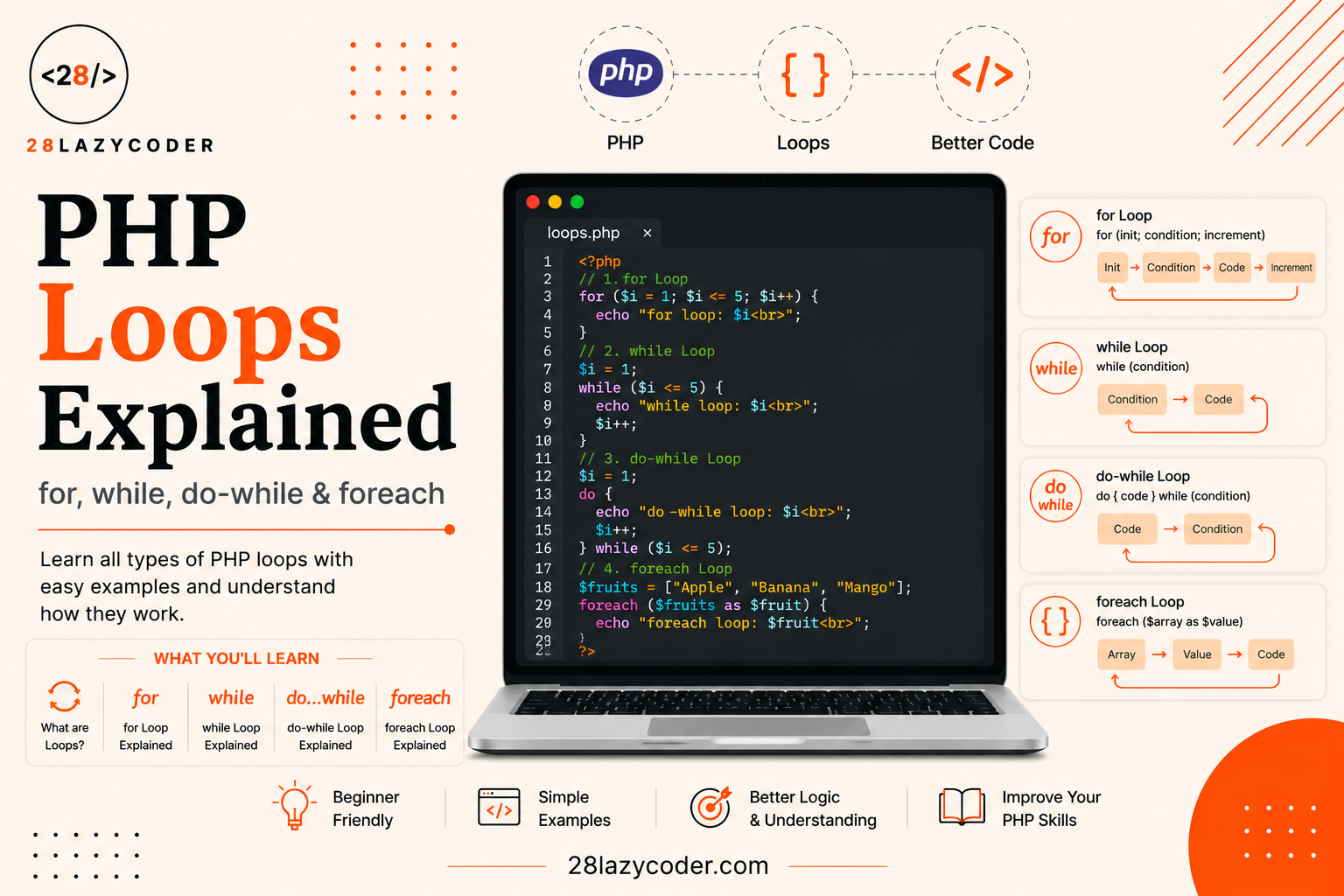
By the end of this guide, you’ll confidently know how to use for, while, do-while, and foreach loops, along with break and continue, with simple beginner-friendly examples for each one.
Let’s get into it.
What Is a Loop in PHP?
A loop is a block of code that repeats itself as long as a certain condition stays true. The moment that condition becomes false, PHP stops repeating and moves on to the rest of your script.
Think about a washing machine. You set it to “5 rinse cycles.” It doesn’t ask you “should I rinse again?” every single time it just keeps rinsing until it hits 5, and then it stops on its own. A loop in PHP works the same way. You set the condition once, and PHP keeps “cycling” through the code until that condition is no longer true.
php
<?php
$count = 1;

while ($count <= 5) {
    echo "Hello! ";
    $count++;
}
// Output: Hello! Hello! Hello! Hello! Hello!
?>
Here, PHP keeps printing “Hello!” as long as $count is 5 or less. Every time it runs, $count goes up by one, until it finally passes 5 and the loop stops.
Why Do We Even Need Loops?
Without loops, you’d have to manually copy-paste code every time you wanted to repeat something printing a list of products, checking every item in a shopping cart, or displaying 50 rows from a database. That’s slow, messy, and if you ever needed to change something, you’d have to update it in 50 different places.
Loops fix this by letting you write the repeating logic once. This is one of the core ideas behind writing clean, maintainable code, right alongside using PHP variables and PHP functions to avoid repeating yourself.
Types of Loops in PHP
PHP gives you four main tools for repeating code. Each one is best suited for a slightly different situation, and once you know when to reach for which one, choosing between them becomes second nature.
1. The for Loop
Use a for loop when you already know exactly how many times you want something to repeat. For example, “print numbers 1 to 10” or “run this 5 times.”
php
<?php
for ($i = 1; $i <= 5; $i++) {
    echo "Number: $i <br>";
}
?>
A for loop has three parts inside the parentheses, separated by semicolons:
- Initialization (
$i = 1) runs once, right at the start, to set up your counter variable. - Condition (
$i <= 5) checked before every single run. If it’strue, the loop body runs. If it’sfalse, the loop stops. - Increment (
$i++) runs at the end of every cycle, usually to move the counter forward.
How PHP Reads a for Loop Step by Step
- Set
$i = 1. - Check: is
$i <= 5? Yes → run the code, print “Number: 1”. - Increase
$iby 1 → now$i = 2. - Check again: is
$i <= 5? Yes → print “Number: 2”. - This keeps repeating until
$ibecomes 6, at which point$i <= 5isfalse, and the loop stops.
2. The while Loop
Use a while loop when you don’t know in advance exactly how many times you’ll need to repeat something, you just know the condition that should keep it going.
php
<?php
$stock = 5;

while ($stock > 0) {
    echo "Item sold. Remaining stock: $stock <br>";
    $stock--;
}
?>
PHP checks the condition $stock > 0 before running the code inside. As long as it’s true, the loop body runs. The moment $stock hits 0, the condition becomes false, and the loop stops immediately, without running one more time.
A while loop is like waiting at a bus stop. You don’t know exactly how many minutes you’ll wait, you just keep waiting while the bus hasn’t arrived yet. The moment it arrives, you stop waiting.
3. The do-while Loop
A do-while loop is almost identical to a while loop, with one important twist: it checks the condition after running the code, not before. That means the code inside always runs at least once, even if the condition is false right from the start.
php
<?php
$attempts = 10;

do {
    echo "This message prints at least once.";
} while ($attempts < 5);
?>
Even though $attempts < 5 is false from the very beginning (10 is not less than 5), the message still prints once, because PHP runs the code first, and only checks the condition afterward.
This is really useful for things like login attempts or menu prompts, where you always want to show something at least once, and only repeat it if a certain condition keeps failing.
php
<?php
$password = "";
$correctPassword = "php123";

do {
    $password = "php123"; // imagine this comes from user input
    echo "Checking password... ";
} while ($password !== $correctPassword);

echo "Access granted!";
?>
4. The foreach Loop
The foreach loop is built specifically for going through arrays, one item at a time. You don’t need a counter variable or a condition at all, PHP handles all of that for you behind the scenes.
php
<?php
$fruits = ["Apple", "Banana", "Mango"];

foreach ($fruits as $fruit) {
    echo "I like $fruit <br>";
}
// Output:
// I like Apple
// I like Banana
// I like Mango
?>
Here, $fruit automatically holds the value of each item in $fruits, one by one, until every item has been visited. No need to write $fruits[0], $fruits[1], and so on yourself.
Using foreach with Key-Value (Associative) Arrays
If your array has custom keys instead of just numbers, foreach can grab both the key and the value at the same time.
php
<?php
$student = [
    "name" => "Riya",
    "grade" => "A",
    "age"  => 16
];

foreach ($student as $key => $value) {
    echo "$key: $value <br>";
}
// Output:
// name: Riya
// grade: A
// age: 16
?>
This $key => $value pattern is one of the most commonly used tricks in PHP, especially once you start working with data coming from forms or databases.
Controlling Loops with break and continue
Sometimes you don’t want a loop to run its full, natural course. PHP gives you two keywords to step in and control that behaviour manually.
The break Keyword
break immediately stops the loop entirely, even if the original condition would still allow it to keep going.
php
<?php
for ($i = 1; $i <= 10; $i++) {
    if ($i == 5) {
        break;
    }
    echo "$i ";
}
// Output: 1 2 3 4
?>
The moment $i becomes 5, PHP hits break and exits the loop completely, it never even gets to print 5, 6, 7, and so on. Think of break like an emergency stop button.
The continue Keyword
continue doesn’t stop the whole loop, it just skips the current cycle and jumps straight to the next one.
php
<?php
for ($i = 1; $i <= 5; $i++) {
    if ($i == 3) {
        continue;
    }
    echo "$i ";
}
// Output: 1 2 4 5
?>
Notice how 3 is missing from the output, but the loop still continued to 4 and 5 afterward. continue is like saying “skip this one, but keep going.”
Comparing PHP’s Loop Types
| Loop Type | Best Used When | Checks Condition |
|---|---|---|
for | You know exactly how many times to repeat | Before each run |
while | You don’t know the exact count, just the stopping condition | Before each run |
do-while | The code must run at least once, no matter what | After each run |
foreach | You need to go through every item in an array | Handled automatically |
Common Mistakes Beginners Make with Loops
- Forgetting to update the counter, like leaving out
$i++in awhileloop. This causes the condition to never becomefalse, resulting in an infinite loop that can crash your browser or server. - Using
foreachon something that isn’t an array, which throws an error since there’s nothing to iterate over. - Confusing
breakandcontinue.breakexits the loop completely,continueonly skips the current round. - Using
whilewhenforwould be cleaner, especially when you already know the exact number of repeats needed. - Modifying the array you’re looping through with
foreachin unexpected ways, which can lead to confusing bugs. If you need to change values while looping, use a reference with&$valuecarefully, or loop with a regularforloop instead. - Mixing up
=and==inside loop conditions, the same trap that shows up in PHP conditional statements always double-check you’re comparing, not assigning.
None of these mistakes mean you’re doing something wrong as a beginner. Every PHP developer has accidentally written an infinite loop at least once (usually followed by a quick page refresh and a sheepish laugh).
Interview Questions on PHP Loops
These are common questions you might be asked if PHP loops come up in a coding interview or viva.
Q1. What’s the main difference between while and do-while? A while loop checks its condition before running the code, so it might not run at all if the condition starts as false. A do-while loop checks the condition after running, so its code always executes at least once.
Q2. When would you choose foreach over a regular for loop? When you’re working with an array and don’t care about tracking a numeric index yourself. foreach is cleaner, shorter, and less error-prone for iterating over array items.
Q3. What happens if you forget to increment the counter in a for or while loop? The condition never becomes false, so the loop runs forever. This is called an infinite loop, and it can freeze or crash your script.
Q4. What is the difference between break and continue? break exits the loop entirely and moves on to the code after it. continue skips only the current iteration and moves to the next one, without stopping the whole loop.
Q5. Can you loop through an associative array using foreach? How? Yes, using the $key => $value syntax, which gives you access to both the array key and its corresponding value in each iteration.
Scenario-Based Problems and Solutions
Scenario 1: Print All Even Numbers Between 1 and 20
Problem: You need to display only the even numbers from 1 to 20.
php
<?php
for ($i = 1; $i <= 20; $i++) {
    if ($i % 2 != 0) {
        continue; // skip odd numbers
    }
    echo "$i ";
}
// Output: 2 4 6 8 10 12 14 16 18 20
?>
Why this works: The % operator gives the remainder after division. If $i % 2 isn’t 0, the number is odd, so continue skips it and moves to the next number.
Scenario 2: Stop Checking Once You Find a Match
Problem: You have a list of usernames and want to stop searching the moment you find the one you’re looking for, instead of wastefully checking every remaining name.
php
<?php
$usernames = ["amit", "riya", "kabir", "neha"];
$searchFor = "kabir";

foreach ($usernames as $username) {
    if ($username === $searchFor) {
        echo "User found: $username";
        break;
    }
}
?>
Why this works: break stops the loop the instant a match is found, so PHP doesn’t waste time checking "neha" after "kabir" has already matched.
Scenario 3: Show a Menu at Least Once, Even With No Valid Input Yet
Problem: You’re building a simple text menu that must display at least one time, even before checking whether the user wants to continue.
php
<?php
$continueMenu = false;

do {
    echo "Welcome to the menu! ";
} while ($continueMenu === true);
?>
Why this works: Since do-while checks its condition after running the code, the welcome message always shows up once, even though $continueMenu is already false.
Scenario 4: Calculate the Total Price of Items in a Cart
Problem: You have an array of product prices and need to add them all up.
php
<?php
$cartPrices = [250, 99, 430, 120];
$total = 0;

foreach ($cartPrices as $price) {
    $total += $price;
}

echo "Total: ₹$total"; // Total: ₹899
?>
Why this works: foreach visits every price in the array, and $total += $price keeps adding each one to a running total.
Conclusion
Loops are how PHP handles repetition without making you write the same line over and over. Once for, while, do-while, and foreach start feeling familiar, you’ll notice how often you reach for them, printing lists, going through form data, working with database results, and building menus are all things you’ll do constantly as a PHP developer.
The best way to really lock this in is to open a PHP file and start experimenting. Try changing the numbers, switch a for to a while, add a break somewhere and see what happens. That hands-on tinkering is what actually makes loops click.
FAQs
Q1. What is a loop in PHP? A loop is a block of code that repeats itself as long as a specified condition remains true. PHP supports for, while, do-while, and foreach loops.
Q2. What is the difference between for and foreach in PHP? for is a general-purpose loop that runs a set number of times based on a counter. foreach is specifically designed to loop through every item in an array, without needing to manage a counter yourself.
Q3. Why does my loop never stop running? This usually happens when the counter variable is never updated, or the condition never becomes false. This is called an infinite loop, and it’s one of the most common beginner mistakes.
Q4. Can I use break inside a foreach loop? Yes. break works the same way in every type of loop, for, while, do-while, and foreach, it always stops the loop completely.
Q5. What is the difference between while and do-while loops? while checks the condition first, so it might skip running entirely. do-while runs the code first and checks the condition afterward, guaranteeing it runs at least once.
Q6. Is foreach faster than a regular for loop for arrays? For most everyday PHP scripts, the difference is tiny and won’t matter. foreach is generally recommended for arrays because it’s cleaner and less error-prone, not because of raw speed.
Continue Learning
- PHP Conditional Statements Explained: A Beginner’s Guide
- PHP Arrays Explained: A Complete Beginner’s Guide with Examples
- PHP Functions Explained: A Complete Beginner’s Guide
- PHP Operators Explained with Examples
- PHP Variables: Everything You Need to Know
- JavaScript Loops and Iteration: A Complete Beginner’s Guide
Explore more guides on 28LazyCoder.
External References: