Think about a simple calculator app on your phone. If you type in 5 + 3, it correctly shows 8. But what if you tried adding your name and your phone number together? It wouldn’t make sense — because a name and a number are two completely different kinds of information.
This idea of “different kinds of information” is exactly what data types are all about in programming.
If you’ve already gone through our guide on PHP variables, you know that a variable is like a labeled box that stores a value. But here’s the next important question: what kind of value is inside that box? Is it a word? A number? A yes/no answer? That’s exactly what we’re going to understand in this guide — properly, and in the simplest way possible.
By the end of this article, PHP data types won’t feel like a list of confusing terms anymore. You’ll understand exactly what each one means, why it exists, and how to use it confidently in your own code.
What Are Data Types? (A Real-Life Explanation First)
Let’s think about a shopping list.
On a shopping list, you might write things like:
- “Milk” — a word (text)
- “2” — a quantity (a number)
- “Buy organic? Yes” — a yes/no answer
Even though all three are written on the same list, they behave very differently. You can’t “add” the word “Milk” to the number “2” — that operation simply doesn’t make sense. But you can add “2” (quantity) to another number, like “3” more items.
In programming, PHP needs to know exactly what kind of value each piece of data is, so it knows what operations make sense for it. This classification is called a data type.
Did You Know? PHP is what’s called a “loosely typed” language. This means, unlike some other programming languages, you don’t have to manually declare a variable’s data type — PHP automatically figures it out based on the value you give it.
Why do we need this? Because different types of data need to be handled differently. You can multiply two numbers, but you can’t multiply two words. PHP needs data types to know which operations are valid.
What problem does it solve? Without data types, a program wouldn’t know whether "5" should be treated as the number five or as the text character ‘5’ followed by nothing else — leading to confusing, incorrect results.
What happens if we don’t understand it? You’ll run into strange bugs — like numbers behaving like text, or comparisons giving unexpected results — without knowing why. Understanding data types is what prevents this confusion entirely.
The 8 Data Types in PHP: A Quick Overview
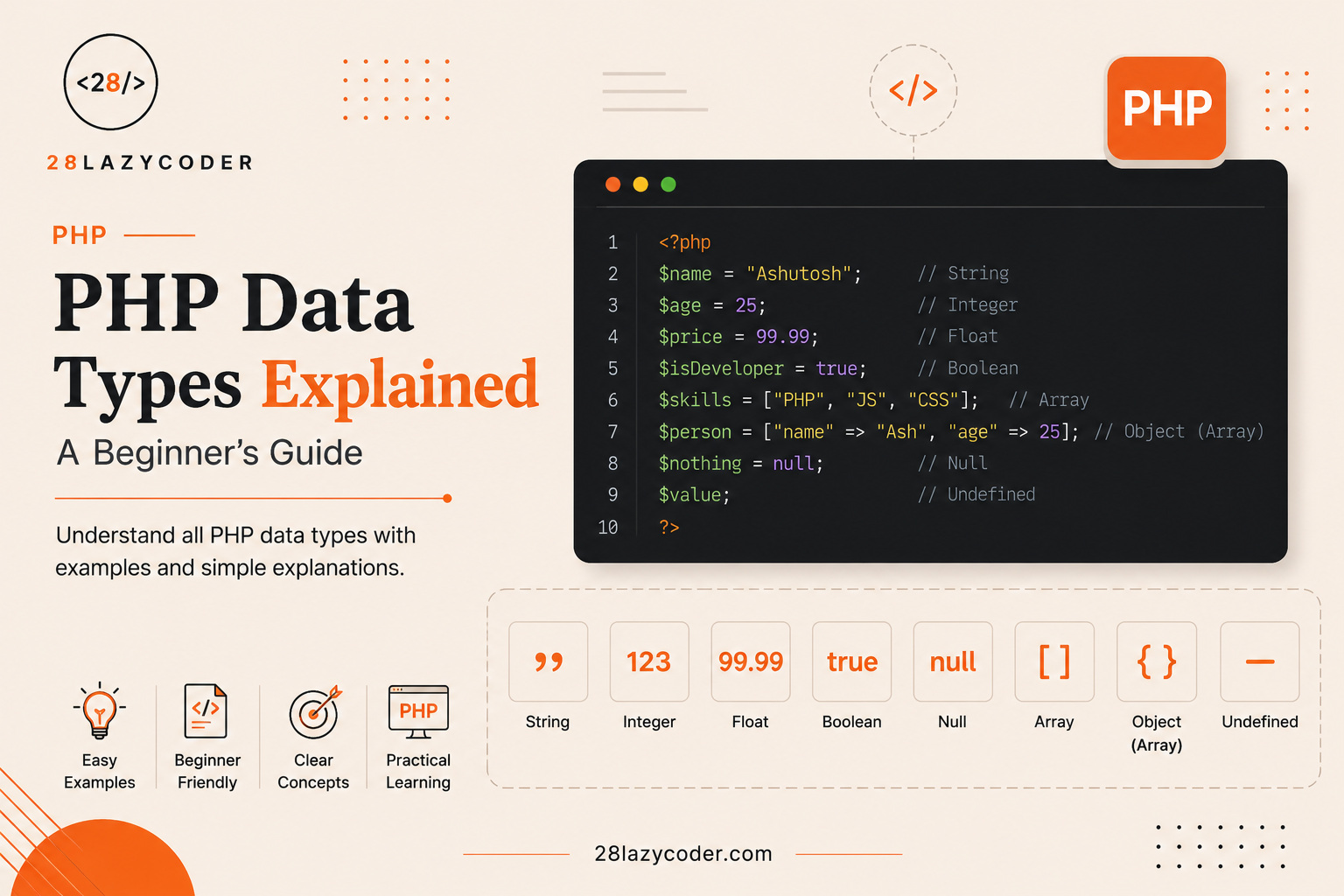
PHP has eight main data types, split into three simple categories:
| Category | Data Types |
|---|---|
| Scalar (single value) | String, Integer, Float, Boolean |
| Compound (multiple values) | Array, Object |
| Special | NULL, Resource |
Don’t worry about memorizing this table right now — we’re going to walk through each one, one at a time, with real examples, so it all makes complete sense by the end.
String: Text Data
Think about your name being stored in a banking app — “Ashutosh,” for example. That’s a perfect example of a string — any piece of text, wrapped in quotes.
Syntax
php
<?php
$userName = "Ashutosh";
echo $userName;
?>
Explaining every line:
$userName = "Ashutosh";— creates a variable called$userNameand stores the text"Ashutosh"inside it. The quotation marks are what tell PHP, “this is text, not a number or code.”echo $userName;— displays the value on the screen, using PHP’sechostatement. If you’re unsure about the difference betweenechoand other output methods, our Echo vs Print in PHP guide covers that in detail.
Output:
AshutoshWhy does this output appear? Because echo simply displays whatever value is stored inside the variable — and since $userName holds the text "Ashutosh", that’s exactly what gets printed.
Where developers use it: Strings are everywhere — usernames, email addresses, product names, addresses, messages in a chat app like WhatsApp. Any time you’re dealing with text, you’re dealing with a string.
Tip: In PHP, you can use either double quotes (
"...") or single quotes ('...') to create a string. Double quotes allow you to insert variables directly inside the text (called “interpolation”), while single quotes treat everything literally.
Integer: Whole Numbers
Now think about a calculator app showing your bank account balance in whole rupees, or the number of items in your shopping cart. These are whole numbers — no decimal points. In PHP, this is called an Integer.
Syntax
php
<?php
$cartItems = 5;
echo $cartItems;
?>
Explaining every line:
$cartItems = 5;— stores the whole number5inside the variable, with no quotation marks, since this is a number, not text.echo $cartItems;— displays that number on the screen.
Output:
5Why does this output appear? Because PHP correctly recognizes 5 (without quotes) as a number, and echo prints its value exactly as stored.
Where developers use it: Integers are used for counting things — number of items in a cart, number of likes on an Instagram post, number of unread WhatsApp messages, page numbers, and much more.
Warning: Writing
$cartItems = "5";(with quotes) technically makes it a string, not an integer — even though it looks like a number. PHP is flexible enough to often handle this correctly in calculations, but it’s a common source of confusing bugs, especially in strict comparisons (we’ll cover this shortly).
Float (Double): Decimal Numbers
Now think about a shopping bill total — like ₹499.50, or a food delivery app showing a delivery fee of ₹25.75. These involve decimal points, and PHP calls this a Float (sometimes also called a “double”).
Syntax
php
<?php
$deliveryFee = 25.75;
echo $deliveryFee;
?>
Explaining every line:
$deliveryFee = 25.75;— stores a decimal number in the variable.echo $deliveryFee;— displays it exactly as stored.
Output:
25.75Why does this output appear? Because 25.75 includes a decimal point, PHP automatically classifies it as a float, and echo prints it with the decimal preserved.
Where developers use it: Prices, ratings (like a 4.5-star rating on a shopping app), temperature readings, GPS coordinates, and any measurement that isn’t a clean whole number.
Common Mistake: Beginners often assume integers and floats behave identically. In reality, dividing two integers in PHP can automatically produce a float if the result isn’t a whole number — for example,
10 / 3gives3.333..., a float, even though both10and3are integers.
Boolean: True or False Values
Think about a traffic signal — it’s either “Go” or “Stop.” There’s no in-between. Or think about a login system — you’re either “Logged In” or “Not Logged In.” This kind of two-option value is called a Boolean, and in PHP, it can only be one of two values: true or false.
Syntax
php
<?php
$isLoggedIn = true;

if ($isLoggedIn) {
  echo "Welcome back!";
} else {
  echo "Please log in.";
}
?>
Explaining every line:
$isLoggedIn = true;— stores a boolean value,true, with no quotation marks (quotes would turn it into a string instead).if ($isLoggedIn) { ... } else { ... }— this is a conditional statement style structure (PHP’sif/elseworks very similarly to JavaScript’s) that checks whether$isLoggedInistrueorfalse, and runs different code depending on the result.
Output:
Welcome back!Why does this output appear? Because $isLoggedIn is true, the condition inside if ($isLoggedIn) passes, so PHP runs the first block of code and skips the else block entirely.
Where developers use it: Booleans control almost every decision-based feature in an app — whether a user is logged in, whether a checkbox is checked, whether a form was submitted successfully, or whether a delivery order has been completed.
Best Practice: Never store
trueorfalsein quotes, like"true". That turns it into a string, and strings are treated differently from actual boolean values in strict comparisons.
Array: A Collection of Values
Now imagine a grocery shopping list with multiple items — Milk, Bread, Eggs, Butter. Instead of creating four separate variables, PHP lets you group them together into one single structure called an Array.
Syntax
php
<?php
$groceryList = ["Milk", "Bread", "Eggs", "Butter"];
echo $groceryList[0];
?>
Explaining every line:
$groceryList = ["Milk", "Bread", "Eggs", "Butter"];— creates an array holding four string values, all grouped under one variable name.echo $groceryList[0];— accesses and displays the first item in the array. In PHP (just like in most programming languages), counting starts from0, not1— so position0is “Milk,” the very first item.
Output:
MilkWhy does this output appear? Because arrays are indexed starting from zero, $groceryList[0] refers to the first item in the list, which is "Milk".
Where developers use it: Arrays are used constantly — a list of products on an e-commerce site, a list of comments under a YouTube video, a list of contacts in WhatsApp. Any time you’re dealing with multiple related values, an array is usually the right tool.
Interview Tip: A common interview question is: “What is the difference between an indexed array and an associative array in PHP?” An indexed array uses numbers (0, 1, 2…) to identify items, like our grocery list above. An associative array uses custom labels (called “keys”) instead — for example,
["name" => "Ashutosh", "age" => 28].
Object: A Custom, Structured Data Type
Now let’s think about something slightly more advanced — a banking app’s account details. An account isn’t just one value; it has an account number, a holder’s name, and a balance — all bundled together, along with actions like “deposit” or “withdraw.” In PHP, this bundled structure is called an Object.
Syntax
php
<?php
class BankAccount {
  public $accountHolder = "Ashutosh";
  public $balance = 5000;
}

$myAccount = new BankAccount();
echo $myAccount->accountHolder;
?>
Explaining every line:
class BankAccount { ... }— defines a “blueprint” called a class, describing what a bank account should contain.public $accountHolder = "Ashutosh";andpublic $balance = 5000;— these are properties (pieces of data) that every bank account object will have.$myAccount = new BankAccount();— creates an actual object (a real “instance”) based on theBankAccountblueprint.echo $myAccount->accountHolder;— accesses and displays theaccountHolderproperty of this specific object, using the->arrow syntax.
Output:
AshutoshWhy does this output appear? Because the $myAccount object was created using the BankAccount blueprint, which set $accountHolder to "Ashutosh" — and echo displays that stored value.
Where developers use it: Objects are the foundation of a programming style called “Object-Oriented Programming” (OOP), commonly used in larger PHP applications, WordPress plugin development, and frameworks like Laravel, to organize related data and behavior together.
Note: Don’t worry if objects feel a bit more complex right now. As a beginner, it’s completely fine to fully understand strings, integers, floats, booleans, and arrays first — objects become much easier once those basics feel natural.
NULL: Representing “No Value”
Imagine an online food order where the “delivery instructions” field was simply left empty by the customer — no text, not even a blank space, just… nothing. In PHP, this “intentionally nothing” state is represented by a special data type called NULL.
Syntax
php
<?php
$deliveryInstructions = null;

if ($deliveryInstructions === null) {
  echo "No special instructions provided.";
}
?>
Explaining every line:
$deliveryInstructions = null;— explicitly sets the variable tonull, meaning “this variable currently has no value.”if ($deliveryInstructions === null) { ... }— checks whether the variable is exactlynull, using PHP’s strict comparison operator===(three equal signs), to be certain we’re checking fornullspecifically, and not just an empty string or zero.
Output:
No special instructions provided.Why does this output appear? Because $deliveryInstructions was explicitly set to null, the strict comparison === null correctly matches, and the message is displayed.
Where developers use it: null is commonly used to represent missing or optional data — like an optional middle name field, an unset delivery date, or a database field that hasn’t been filled in yet.
Common Mistake: Beginners often confuse
null, an empty string"", and the number0. All three might seem like “nothing,” but PHP treats them as different values. Using===(strict comparison) instead of==helps avoid confusing bugs here.
Resource: A Special Type for External Connections
This last type is a little different from the rest, and beginners rarely need to use it directly early on — but it’s worth understanding what it means when you come across it.
A Resource in PHP represents a reference to something external to your PHP code — like an open file, or an active database connection. Think of it like a library membership card: the card itself isn’t the book, but it represents your active connection to the library’s system, allowing you to borrow and return books.
php
<?php
$file = fopen("data.txt", "r");
// $file is now a "resource" representing the open file connection
fclose($file);
?>
Explaining every line:
fopen("data.txt", "r");— opens a file nameddata.txtin “read” mode ("r"), and returns a resource representing that open connection.fclose($file);— properly closes the file connection when you’re done with it, similar to returning your library card after you’re finished.
Where developers use it: File handling, database connections, and similar operations that need an active connection to something outside of PHP itself.
Checking a Variable’s Data Type with gettype()
Now here’s a genuinely useful trick: PHP gives you a built-in function to check exactly what data type any variable currently holds, called gettype().
php
<?php
$price = 499.99;
echo gettype($price);
?>
Explaining every line:
$price = 499.99;— stores a decimal value.echo gettype($price);— displays the data type of$priceas text.
Output:
doubleWhy does this output appear? PHP internally refers to float values as “double” (short for “double-precision floating point number”) — so gettype() returns "double" rather than "float", even though most developers casually call it a float.
Real-world use case: gettype() is especially useful while debugging — if a calculation is producing unexpected results, checking the actual data type of your variables is often the fastest way to spot the problem.
Tip: For a quick yes/no check instead of the exact type name, PHP also offers specific functions like
is_string(),is_int(),is_float(),is_bool(), andis_array()— these are often more convenient thangettype()when you just need to confirm one specific type.
PHP Data Types at a Glance (Comparison Table)
| Data Type | Example Value | Real-Life Analogy | gettype() Output |
|---|---|---|---|
| String | "Ashutosh" | A name written on a form | string |
| Integer | 5 | Number of items in a cart | integer |
| Float | 25.75 | A shopping bill amount | double |
| Boolean | true / false | A traffic signal (Go/Stop) | boolean |
| Array | ["Milk", "Bread"] | A grocery shopping list | array |
| Object | new BankAccount() | A structured bank account record | object |
| NULL | null | An intentionally empty form field | NULL |
| Resource | Open file connection | A library membership card | resource |
PHP’s “Loosely Typed” Nature: A Closer Look
Here’s something that surprises a lot of beginners coming from stricter languages: in PHP, you don’t need to declare a variable’s data type upfront. You can even change a variable’s data type later in the same script.
php
<?php
$value = 10;        // Integer
echo gettype($value) . "\n";

$value = "Hello";   // Now a String
echo gettype($value) . "\n";
?>
Explaining every line:
$value = 10;— initially stores an integer.$value = "Hello";— later, the same variable is reassigned to hold a string instead.
Output:
integer
string
Why does this output appear? Because PHP doesn’t lock a variable to one specific data type. It simply looks at whatever value is currently assigned and adapts automatically — this flexibility is exactly what “loosely typed” means.
Real-world use case: This flexibility is convenient for quick scripts and beginner-friendly projects, but in larger applications, it requires extra care — you need to consciously keep track of what type of data you expect a variable to hold, especially before performing calculations or comparisons.
Best Practice: Even though PHP allows this flexibility, avoid deliberately reassigning a variable to a completely different data type midway through your code. It makes your code harder to read and more prone to bugs. Keep each variable consistently holding one “kind” of data throughout your script wherever possible.
Type Juggling and Loose Comparison (==) vs Strict Comparison (===)
This is one of the most important — and most commonly misunderstood — aspects of PHP data types, and it directly connects to a comparison concept many JavaScript developers already recognize from our guide on == vs === in JavaScript. PHP’s version works almost identically.
php
<?php
var_dump(5 == "5");
var_dump(5 === "5");
?>
Explaining every line:
5 == "5"— uses loose comparison (==), which allows PHP to automatically convert types before comparing. Here, PHP converts the string"5"into the number5before comparing, so they’re considered equal.5 === "5"— uses strict comparison (===), which checks both the value and the data type. Since5is an integer and"5"is a string, they are not considered strictly equal, even though they look similar.
Output:
bool(true)
bool(false)
Why does this output appear? The first comparison (==) allows PHP to convert types automatically (“type juggling”), so 5 and "5" are treated as equal. The second comparison (===) refuses to convert types at all, so an integer and a string can never be strictly equal, regardless of how similar they look.
Real-world use case: Strict comparison is especially important when checking form input, API responses, or database results, where a value might unexpectedly arrive as a string (like "0") instead of the number you actually expected.
Warning: Relying on loose comparison (
==) too often is one of the most common sources of subtle bugs in PHP. As a best practice, prefer strict comparison (===) unless you have a specific, intentional reason to allow type conversion.
Common Mistakes Beginners Make with PHP Data Types
Common Mistake #1: Wrapping numbers in quotes unnecessarily, like
$age = "25";, turning an integer into a string by accident.
Common Mistake #2: Using
==everywhere out of habit, without realizing===often gives more predictable, bug-free results.
Common Mistake #3: Confusing
null,""(empty string), and0— treating them as identical, when PHP distinguishes between all three.
Common Mistake #4: Forgetting that
gettype()returns"double"for float values, and searching for a “float” result that will never appear.
Best Practices for Working with PHP Data Types
- Prefer strict comparison (
===) over loose comparison (==) to avoid unexpected type-conversion bugs. - Use
gettype()or theis_*()family of functions (likeis_int(),is_array()) while debugging to confirm exactly what type of data you’re working with. - Avoid reassigning a variable to a completely different data type midway through your code, even though PHP technically allows it.
- Explicitly cast values when needed, using syntax like
(int) $valueor(string) $value, instead of relying purely on PHP’s automatic type juggling. - Validate form input and API data carefully — incoming data (like from a form) often arrives as a string, even if it represents a number.
Interview Questions on PHP Data Types
- How many data types does PHP support, and what are they?
- What is the difference between
==and===in PHP? - What does PHP’s “loosely typed” nature mean?
- What is the difference between
gettype()andis_int()/is_string()? - Why does
gettype()return"double"instead of"float"? - What is the difference between an indexed array and an associative array?
- What is the difference between
null,0, and an empty string""?
Interview Tip: If asked to explain PHP’s loose typing, mention both the flexibility it provides and the potential pitfalls (like type juggling bugs) — this shows a balanced, real-world understanding, not just a textbook definition.
Frequently Asked Questions (FAQs)
Q1. Do I need to specify a data type when creating a variable in PHP? No. PHP automatically detects the data type based on the value you assign, thanks to its “loosely typed” nature. This is different from some other languages that require you to declare a type upfront.
Q2. What is the difference between an integer and a float in PHP? An integer is a whole number with no decimal point, like 10. A float (also called a “double”) includes a decimal point, like 10.5. PHP automatically classifies a number as a float if it has decimal digits.
Q3. Why does gettype() show “double” instead of “float”? This is simply PHP’s internal naming convention — “double” refers to a double-precision floating-point number, which is the technical term PHP uses internally, even though developers commonly say “float” in conversation.
Q4. Should I always use === instead of ==? In most cases, yes. Strict comparison (===) checks both value and data type, avoiding unexpected results caused by PHP’s automatic type conversion. Use loose comparison (==) only when you specifically want that conversion behavior.
Q5. What’s the difference between NULL and an empty string in PHP? null represents the intentional absence of any value at all, while an empty string ("") is still a string — just one with zero characters. PHP treats these as different data states, especially under strict comparison.
Conclusion
PHP data types might have looked like a long, technical list at the start of this article — but as you’ve now seen, each one maps directly to something you already understand from everyday life: a name (string), a quantity (integer), a bill amount (float), a yes/no decision (boolean), a shopping list (array), and so on.
The real skill isn’t memorizing these terms — it’s building the habit of asking yourself, “What kind of data is this, really?” every time you write a variable. Once that habit forms, bugs related to types become far easier to spot and fix, and your PHP code becomes noticeably more predictable and reliable.
Keep practicing with small examples, check your variable types using gettype() whenever something feels off, and this will soon become second nature — just like it does for every experienced PHP developer.
Additional SEO & Technical Assets
Internal Linking Table (Verified Against Live Site)
| Title | Target URL |
|---|---|
| PHP variables | https://28lazycoder.com/php-variables/ |
| Echo vs Print in PHP guide | https://28lazycoder.com/echo-vs-print-in-php/ |
| conditional statement | https://28lazycoder.com/javascript-conditional-statements/ |
| guide on == vs === in JavaScript | https://28lazycoder.com/difference-between-double-equals-and-triple-equals-in-javascript/ |
| JavaScript Data Types | https://28lazycoder.com/javascript-data-types/ |
| var, let, and const | https://28lazycoder.com/var-let-const-difference/ |
External Linking Table (Trusted Sources)
| Anchor Text | Target URL | Context |
|---|---|---|
| PHP manual on data types | https://www.php.net/manual/en/language.types.intro.php | Reference for official PHP type documentation |
| GeeksforGeeks PHP data types guide | https://www.geeksforgeeks.org/php/php-data-types/ | Supplementary reference |
| W3Schools PHP data types reference | https://www.w3schools.com/php/php_datatypes.asp | Quick-reference companion for readers |
(Note: PHP.net is the authoritative technical source for PHP itself, alongside your preferred GeeksforGeeks/W3Schools sources. Add these as inline links in the CMS version.)