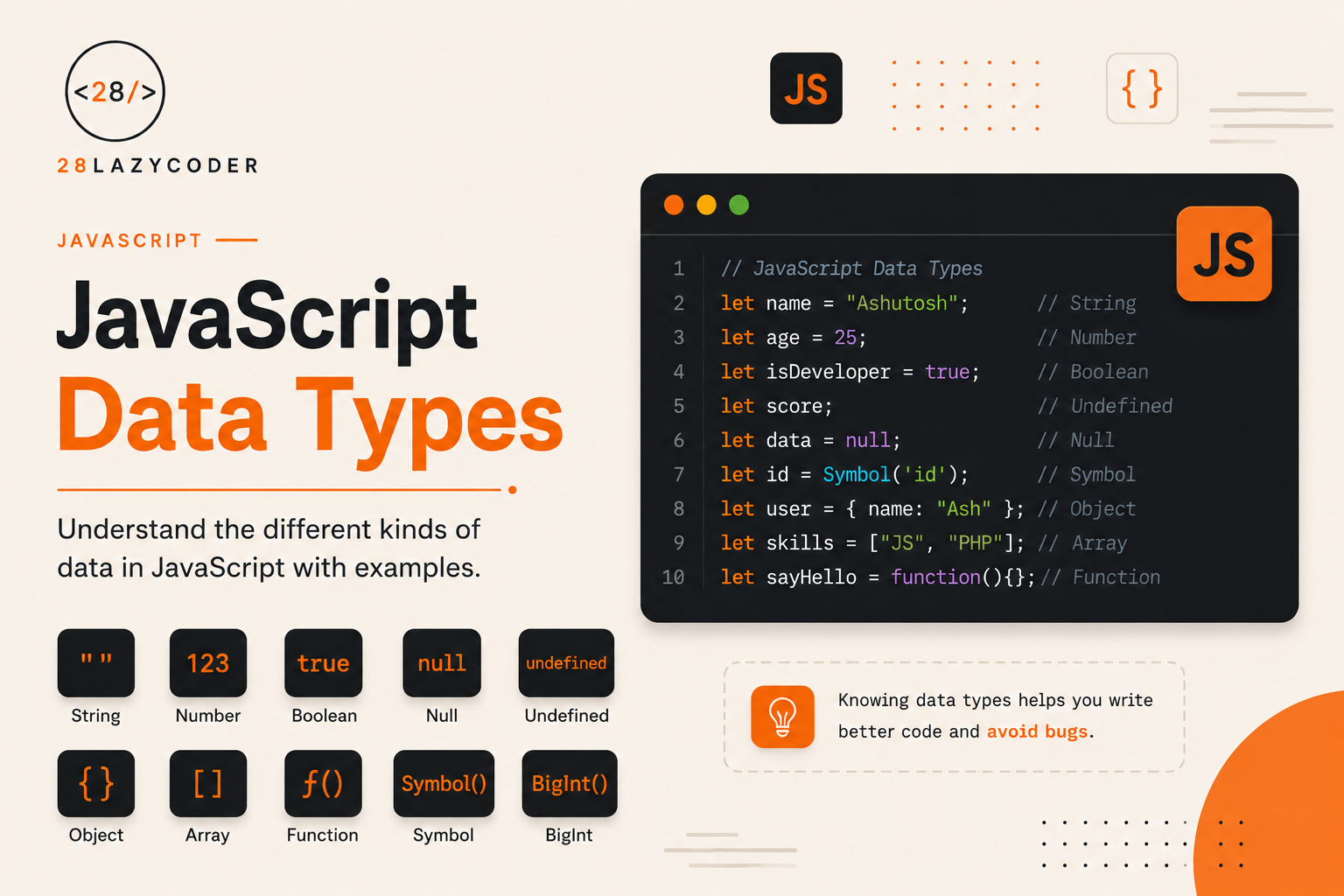
Before variables, before functions, before anything else — every value in JavaScript has a type. A number behaves differently from a string. A boolean behaves differently from an object. And knowing which is which explains a huge chunk of the “weird” behavior beginners run into early on.
If you’ve read our post on what NaN really is in JavaScript, you’ve already seen a small example of how type quirks can catch you off guard. This guide takes a step back and covers the full picture — every data type JavaScript has, how to check them, and where beginners usually trip up.
Let’s get into it.
What Is a Data Type?
A data type simply describes what kind of value you’re working with — a number, some text, a true/false flag, and so on.
let age = 25;          // number
let name = "Rohit";    // string
let isOnline = true;   // boolean
JavaScript automatically figures out the type based on the value you assign — you never have to declare it manually. This is called being dynamically typed.
Note: This is different from languages like Java or C#, where you must declare a variable’s type upfront (
int age = 25;). In JavaScript, the type is attached to the value, not the variable itself — which is why the same variable can hold a number today and a string tomorrow.
let value = 10;
value = "ten"; // totally legal in JavaScript
Primitive vs Reference Data Types
JavaScript data types fall into two broad categories, and understanding this split explains a lot of confusing behavior down the road.
| Primitive Types | Reference Types | |
|---|---|---|
| Examples | String, Number, Boolean, Null, Undefined, Symbol, BigInt | Object, Array, Function |
| Stored as | The actual value | A reference (address) to the value in memory |
| Copied by | Value | Reference |
| Mutable? | No | Yes |
We’ll come back to why “copied by reference” matters later — it’s one of the most common sources of bugs for beginners.
The Primitive Data Types
1. String
Represents text, wrapped in single quotes, double quotes, or backticks.
let firstName = "Ananya";
let city = 'Mumbai';
let greeting = `Hello, ${firstName}`; // template literal
Tip: Backticks let you use template literals, which support variable interpolation directly with
${}— no more clunky string concatenation with+.
2. Number
Covers both integers and decimals — JavaScript doesn’t separate them into different types like some languages do.
let age = 25;
let price = 499.99;
let negative = -10;
Warning: JavaScript numbers can run into precision issues with decimals, thanks to how floating-point math works. For example,
0.1 + 0.2gives0.30000000000000004, not a clean0.3. This isn’t a JavaScript bug — it’s standard floating-point behavior shared across most programming languages.
3. BigInt
For numbers too large for the regular Number type to handle safely. You create one by adding n at the end.
let bigNumber = 9007199254740991123n;
console.log(typeof bigNumber); // bigint
You won’t need this often as a beginner, but it’s good to know it exists for very large calculations.
4. Boolean
Only two possible values: true or false. Used constantly in conditions, which we covered in detail in our JavaScript conditional statements guide.
let isLoggedIn = true;
let hasAccess = false;
5. Undefined
A variable that’s been declared but hasn’t been given a value yet.
let score;
console.log(score); // undefined
6. Null
Represents an intentional “nothing” or “empty” value. Unlike undefined, null is something a developer sets on purpose.
let selectedUser = null; // no user selected, deliberately
Note:
undefinedusually means “this hasn’t been set yet,” whilenullmeans “this was set to nothing, on purpose.” Keeping that distinction in mind makes debugging a lot easier.
7. Symbol
Creates a completely unique value, mainly used for special object property keys where you need to guarantee no naming collisions.
const id = Symbol("userId");
console.log(typeof id); // symbol
This one’s mostly relevant once you’re working with more advanced object patterns — don’t worry about mastering it early on.
The Reference Data Type: Object
Everything that isn’t a primitive falls under object — including plain objects, arrays, and functions.
let user = { name: "Aman", age: 28 }; // object
let colors = ["Red", "Green", "Blue"]; // array (technically an object)
let greet = function () {};             // function (technically an object)
console.log(typeof user);    // object
console.log(typeof colors);  // object
console.log(typeof greet);   // function
Note:
typeofreturns"function"for functions specifically, but functions are still technically objects under the hood — they can have properties just like any other object.
Checking Data Types with typeof
The typeof operator tells you the type of a value at any point in your code.
console.log(typeof "Hello");     // string
console.log(typeof 42);           // number
console.log(typeof true);         // boolean
console.log(typeof undefined);    // undefined
console.log(typeof null);         // object  <-- yes, really
console.log(typeof Symbol());     // symbol
console.log(typeof 10n);          // bigint
console.log(typeof {});           // object
console.log(typeof []);           // object
console.log(typeof function(){}); // function
Warning:
typeof nullreturns"object", which is widely accepted as a long-standing bug in JavaScript that’s never been fixed, because fixing it would break too much existing code across the web. If you need to check fornullspecifically, compare it directly:value === null.
Checking If Something Is an Array
Since typeof returns "object" for arrays too, it can’t tell arrays and plain objects apart. Use Array.isArray() instead:
console.log(Array.isArray([1, 2, 3])); // true
console.log(Array.isArray({ a: 1 }));  // false
Type Conversion in JavaScript
Sometimes you need to convert one type into another — this is called type conversion, and it happens in two ways.
Explicit Conversion (You Do It on Purpose)
String(123);      // "123"
Number("456");    // 456
Boolean(0);        // false
Boolean("hello");  // true
Implicit Conversion (JavaScript Does It Automatically)
This is also called type coercion, and it’s where a lot of confusing bugs come from.
console.log("5" + 5);   // "55"  — number becomes a string
console.log("5" - 2);   // 3     — string becomes a number
console.log("5" * "2"); // 10    — both strings become numbers
Notice how + behaves differently than - and * when a string is involved. If either side of a + is a string, JavaScript converts everything to a string and concatenates. But - and * only make sense for numbers, so JavaScript tries to convert both sides to numbers instead.
This kind of implicit conversion is also central to why == behaves so unpredictably compared to ===. We break this down in detail in our post on the difference between == and === in JavaScript.
Primitive vs Reference: Why Copying Behaves Differently
This trips up a lot of beginners, so it’s worth slowing down here.
// Primitive - copied by value
let a = 10;
let b = a;
b = 20;

console.log(a); // 10 — untouched
console.log(b); // 20
// Reference - copied by reference
let obj1 = { value: 10 };
let obj2 = obj1;
obj2.value = 20;

console.log(obj1.value); // 20 — changed too!
console.log(obj2.value); // 20
With primitives, each variable gets its own independent copy. With objects and arrays, both variables point to the same thing in memory — so changing one changes the other.
Quick Reference Table
| Type | Example | typeof Result |
|---|---|---|
| String | "Hello" | "string" |
| Number | 42, 3.14 | "number" |
| BigInt | 10n | "bigint" |
| Boolean | true, false | "boolean" |
| Undefined | let x; | "undefined" |
| Null | let x = null; | "object" (known quirk) |
| Symbol | Symbol("id") | "symbol" |
| Object | {}, [], functions | "object" / "function" |
Common Mistakes When Working With Data Types
1. Assuming typeof null returns "null"
It returns "object". Always compare with === null when you specifically need to check for null.
2. Using == and getting unexpected type coercion
console.log("0" == false); // true — surprising, right?
console.log("0" === false); // false — this is what you probably meant
3. Confusing undefined and null
Using them interchangeably makes debugging harder. Treat undefined as “not set yet” and null as “intentionally empty.”
4. Trying to check array type with typeof
typeof will always say "object" for arrays. Use Array.isArray() instead.
5. Copying an object or array and expecting the original to stay untouched
Because reference types are copied by reference, modifying the copy modifies the original too, unless you explicitly clone it.
Best Practices for Working With Data Types
- Use
===and!==instead of==and!=to avoid unexpected type coercion. - Use
Array.isArray()to check for arrays instead of relying ontypeof. - Be intentional about
nullvsundefined— don’t mix them up carelessly in your own code. - Use template literals (
`${}`) instead of string concatenation with+for cleaner, less error-prone string building. - When converting types, prefer explicit conversion (
Number(),String(),Boolean()) over relying on JavaScript’s implicit coercion — it makes your intent clear to anyone reading the code later.
// Less clear
let total = "100" - 0;

// Clearer intent
let total = Number("100");
Frequently Asked Questions
Q: How many data types does JavaScript have? JavaScript has seven primitive types — String, Number, BigInt, Boolean, Undefined, Null, and Symbol — plus one reference type, Object, which covers plain objects, arrays, and functions.
Q: Is an array a data type in JavaScript? Not its own separate type — arrays are technically objects. typeof [] returns "object", and you need Array.isArray() to confirm something is actually an array.
Q: What’s the difference between null and undefined? undefined means a variable exists but hasn’t been assigned a value. null means a value was deliberately set to represent “nothing.” They’re similar but conceptually different.
Q: Why does typeof null return “object”? It’s a well-known historical bug in JavaScript’s original design from 1995 that was never fixed, since correcting it would break too much code that depends on the current behavior across the web.
Q: What’s the difference between type conversion and type coercion? Type conversion is when you deliberately convert a value, like Number("42"). Type coercion is when JavaScript converts a value automatically behind the scenes, like in "5" + 5.
Conclusion
Data types sit quietly underneath everything you write in JavaScript — every variable, every comparison, every function argument depends on them. Once the difference between primitives and reference types clicks, along with when JavaScript quietly converts one type into another, a lot of “why is this happening” moments in your own code start making a lot more sense.
Try running a few of the typeof checks from this guide in your browser console right now. Seeing typeof null return "object" with your own eyes tends to stick a lot better than just reading about it.
If you haven’t already, check out our guides on the difference between == and === in JavaScript and what NaN really is in JavaScript next — both dig deeper into the type quirks touched on here.