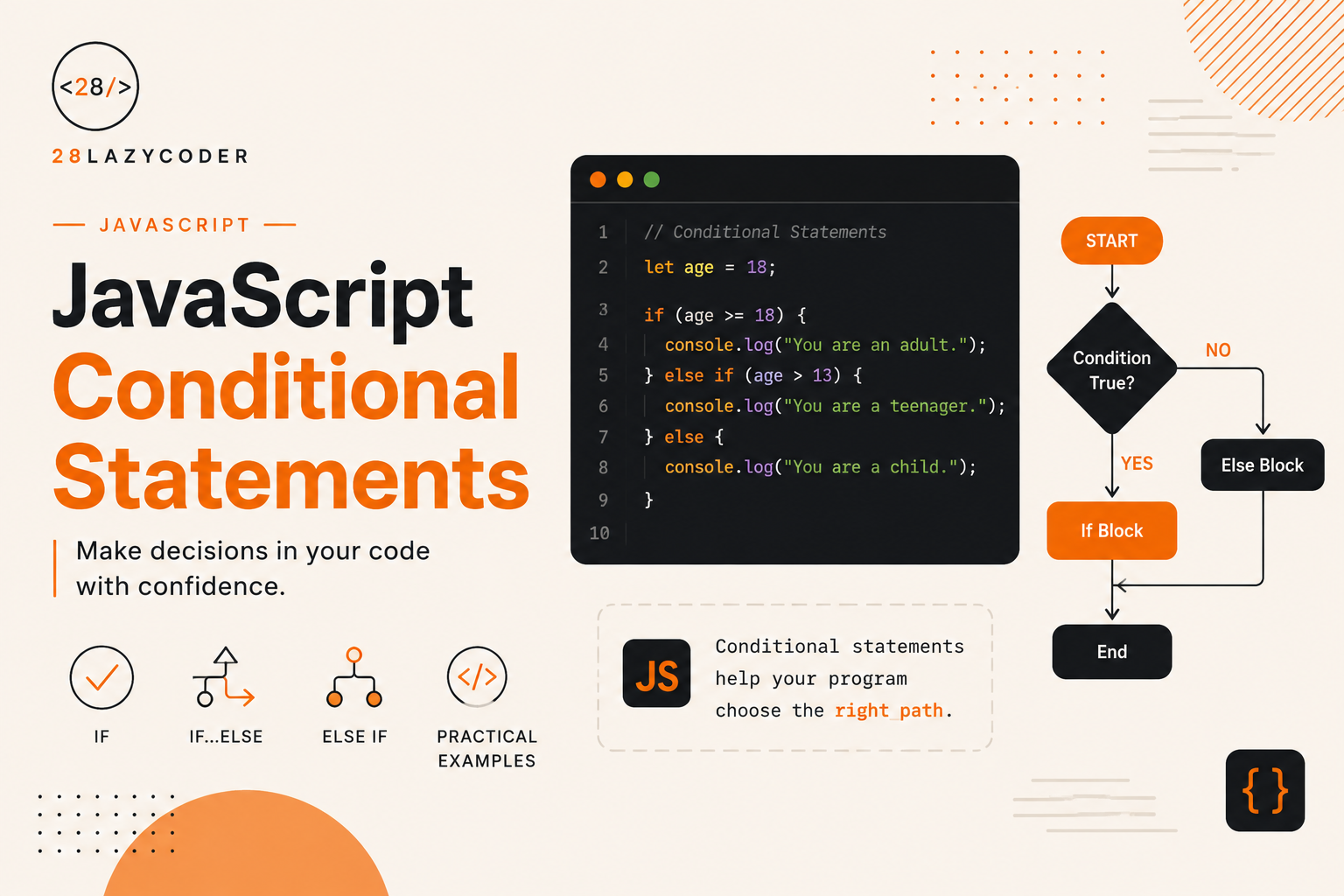
Every app you’ve ever used makes decisions constantly. Show a “Welcome back” message if the user is logged in. Apply a discount if the cart total crosses a certain amount. Turn a button red if a form field is empty. None of that happens by magic — it happens because of conditional statements.
If you’ve already gone through our guide on JavaScript operators, you’re actually halfway there already, since conditionals lean heavily on comparison and logical operators to work.
In this guide, we’ll walk through every way JavaScript lets you make decisions in your code, with examples you can picture using in an actual project — not just textbook filler.
What Is a Conditional Statement?
A conditional statement runs a block of code only if a certain condition is true.
Think of it like a real-life decision: “If it’s raining, take an umbrella. Otherwise, don’t.” That’s exactly the logic we’re translating into code.
const isRaining = true;

if (isRaining) {
  console.log("Take an umbrella");
}
If isRaining is true, the message prints. If it’s false, nothing happens.
Note: A condition doesn’t have to be a plain
true/falsevalue. It can be any expression that JavaScript can evaluate as truthy or falsy — likeage >= 18orcart.length > 0.
The if Statement
This is the simplest form. It runs code only when the condition is true.
const age = 20;

if (age >= 18) {
  console.log("You can vote");
}
if…else Statement
What if you want something to happen when the condition is false too? That’s where else comes in.
const age = 15;

if (age >= 18) {
  console.log("You can vote");
} else {
  console.log("You cannot vote yet");
}
Now there’s always an outcome, no matter which way the condition goes.
if…else if…else Statement
Real-world logic usually has more than two possibilities. That’s where else if chains come in handy.
const marks = 72;

if (marks >= 90) {
  console.log("Grade: A");
} else if (marks >= 75) {
  console.log("Grade: B");
} else if (marks >= 50) {
  console.log("Grade: C");
} else {
  console.log("Grade: F");
}
// Grade: C
JavaScript checks each condition top to bottom and stops at the first one that’s true. If none of them match, it falls through to the final else.
Tip: Order your
else ifconditions carefully. If you write broader conditions before more specific ones, the specific ones might never get checked.
Nested if Statements
You can put an if statement inside another one, for when a decision depends on more than one condition happening in sequence.
const isLoggedIn = true;
const isAdmin = false;

if (isLoggedIn) {
  if (isAdmin) {
    console.log("Welcome, Admin");
  } else {
    console.log("Welcome, User");
  }
} else {
  console.log("Please log in");
}
// Welcome, User
Warning: Nesting too many
ifstatements inside each other makes code hard to read fast. If you find yourself nesting three or four levels deep, it’s usually a sign you should combine conditions with logical operators instead — more on that below.
Combining Conditions with Logical Operators
Instead of nesting, you can often combine conditions directly using && (AND), || (OR), and ! (NOT).
const isLoggedIn = true;
const isAdmin = false;

if (isLoggedIn && isAdmin) {
  console.log("Welcome, Admin");
}

if (isLoggedIn && !isAdmin) {
  console.log("Welcome, User");
}
| Operator | Meaning | Example |
|---|---|---|
&& | Both conditions must be true | age >= 18 && hasID |
|| | At least one condition must be true | isAdmin || isModerator |
! | Reverses true/false | !isLoggedIn |
We covered these operators in more depth in our JavaScript operators guide, including how JavaScript evaluates them.
The switch Statement
When you’re checking the same variable against many possible values, switch is often cleaner than a long else if chain.
const day = "Tuesday";

switch (day) {
  case "Monday":
    console.log("Start of the week");
    break;
  case "Tuesday":
    console.log("Second day");
    break;
  case "Friday":
    console.log("Almost weekend!");
    break;
  default:
    console.log("Just another day");
}
// Second day
Why break Matters
Without break, JavaScript keeps executing every case below the matching one, even if the condition doesn’t match anymore. This is called fall-through, and it’s a common source of bugs.
const day = "Monday";

switch (day) {
  case "Monday":
    console.log("Start of the week");
  case "Tuesday":
    console.log("Second day");
    break;
  default:
    console.log("Just another day");
}
// Start of the week
// Second day   <-- prints even though day is "Monday", because break was missing
Warning: Always add
breakat the end of eachcase, unless you intentionally want fall-through behavior. Forgetting it is one of the most commonswitchbugs beginners run into.
switch vs if…else: When to Use Which
if...else | switch | |
|---|---|---|
| Best for | Range checks, complex conditions | Checking one variable against many exact values |
| Readability with many conditions | Gets messy fast | Stays clean |
Supports &&, ||, comparisons | Yes | No (exact match only, unless restructured) |
The Ternary Operator: A Shorter if…else
For simple conditions, the ternary operator lets you write an if...else in a single line.
const age = 20;
const message = age >= 18 ? "Adult" : "Minor";

console.log(message); // Adult
The structure is: condition ? valueIfTrue : valueIfFalse.
Tip: Ternary operators are great for short, simple decisions — especially when assigning a value. Avoid chaining multiple ternaries together, though; it turns readable code into a puzzle very quickly.
// Avoid this — hard to read at a glance
const grade = marks >= 90 ? "A" : marks >= 75 ? "B" : marks >= 50 ? "C" : "F";
Truthy and Falsy Values in Conditions
JavaScript doesn’t require a strict true/false inside an if statement — it converts the value to a boolean automatically. This is where truthy and falsy values come in.
There are only a handful of falsy values in JavaScript. Everything else is truthy.
| Falsy Values | Example |
|---|---|
false | if (false) |
0 | if (0) |
"" (empty string) | if ("") |
null | if (null) |
undefined | if (undefined) |
NaN | if (NaN) |
const cart = [];

if (cart.length) {
  console.log("Cart has items");
} else {
  console.log("Cart is empty");
}
// Cart is empty — because cart.length is 0, which is falsy
If you’ve ever run into strange behavior comparing values, our post on what NaN really is in JavaScript explains why NaN behaves so unpredictably, including inside conditions.
Common Mistakes When Writing Conditionals
1. Using = instead of == or ===
let age = 18;

if (age = 20) { // assignment, not comparison!
  console.log("This always runs");
}
A single = assigns a value instead of comparing it. This is a classic typo that can silently break your logic. Our guide on the difference between == and === in JavaScript covers exactly when to use which comparison operator.
2. Forgetting break in a switch statement
Covered above — leads to unexpected fall-through execution.
3. Assuming an empty array or object is falsy
if ([]) {
  console.log("This runs!"); // yes, it actually runs
}
An empty array or object is still an object, and all objects are truthy in JavaScript, even empty ones. Check .length for arrays instead.
4. Overusing nested if statements
Deep nesting makes logic hard to follow. Logical operators or early return statements usually clean this up.
5. Writing overly complex ternary chains
Readable in your head while writing it, unreadable to anyone (including future you) reading it later.
Best Practices for Writing Conditionals
- Use strict equality (
===) instead of loose equality (==) to avoid unexpected type coercion. - Keep conditions simple and readable — break complex logic into well-named variables before the
ifstatement. - Use
switchwhen comparing one variable against several exact values; useif...elsefor ranges and combined logic. - Always include a
defaultcase inswitchstatements to handle unexpected values gracefully. - Prefer early returns inside functions over deeply nested
ifblocks.
// Instead of this:
function checkAccess(user) {
  if (user) {
    if (user.isActive) {
      if (user.isAdmin) {
        return "Full access";
      }
    }
  }
  return "No access";
}

// Prefer this:
function checkAccess(user) {
  if (!user) return "No access";
  if (!user.isActive) return "No access";
  if (!user.isAdmin) return "No access";
  return "Full access";
}
Frequently Asked Questions
Q: What’s the difference between if...else and switch? if...else works well for ranges and combined conditions using && or ||. switch is cleaner when you’re comparing a single variable against several exact, known values.
Q: Can I use a ternary operator instead of if…else everywhere? Only for simple, single-outcome decisions, ideally when assigning a value. For anything with multiple steps or side effects, a regular if...else is more readable.
Q: Why does if ([]) run as true? Because arrays and objects are always truthy in JavaScript, even when they’re empty. Check a meaningful property instead, like array.length > 0.
Q: What happens if no case matches in a switch statement? If there’s a default case, it runs. If there isn’t one, nothing happens — the switch block simply exits without executing anything.
Q: Is else if a separate keyword in JavaScript? Not technically — it’s just an else block containing another if statement, written on the same line for readability. JavaScript doesn’t have a dedicated elseif keyword like some other languages.
Conclusion
Conditional statements are how your code starts to think — checking values, comparing them, and deciding what happens next. Once if, else if, switch, and the ternary operator feel natural, you’ll start noticing decision points everywhere in the apps you build, from form validation to showing the right UI at the right time.
Try rewriting a small piece of logic you’ve already built — like a login check or a grading system — using each approach covered here. You’ll quickly get a feel for which one fits which situation best.
If you haven’t already, check out our guides on JavaScript operators and loops and iteration next. Conditionals, operators, and loops are the trio that power almost every piece of logic you’ll ever write in JavaScript.