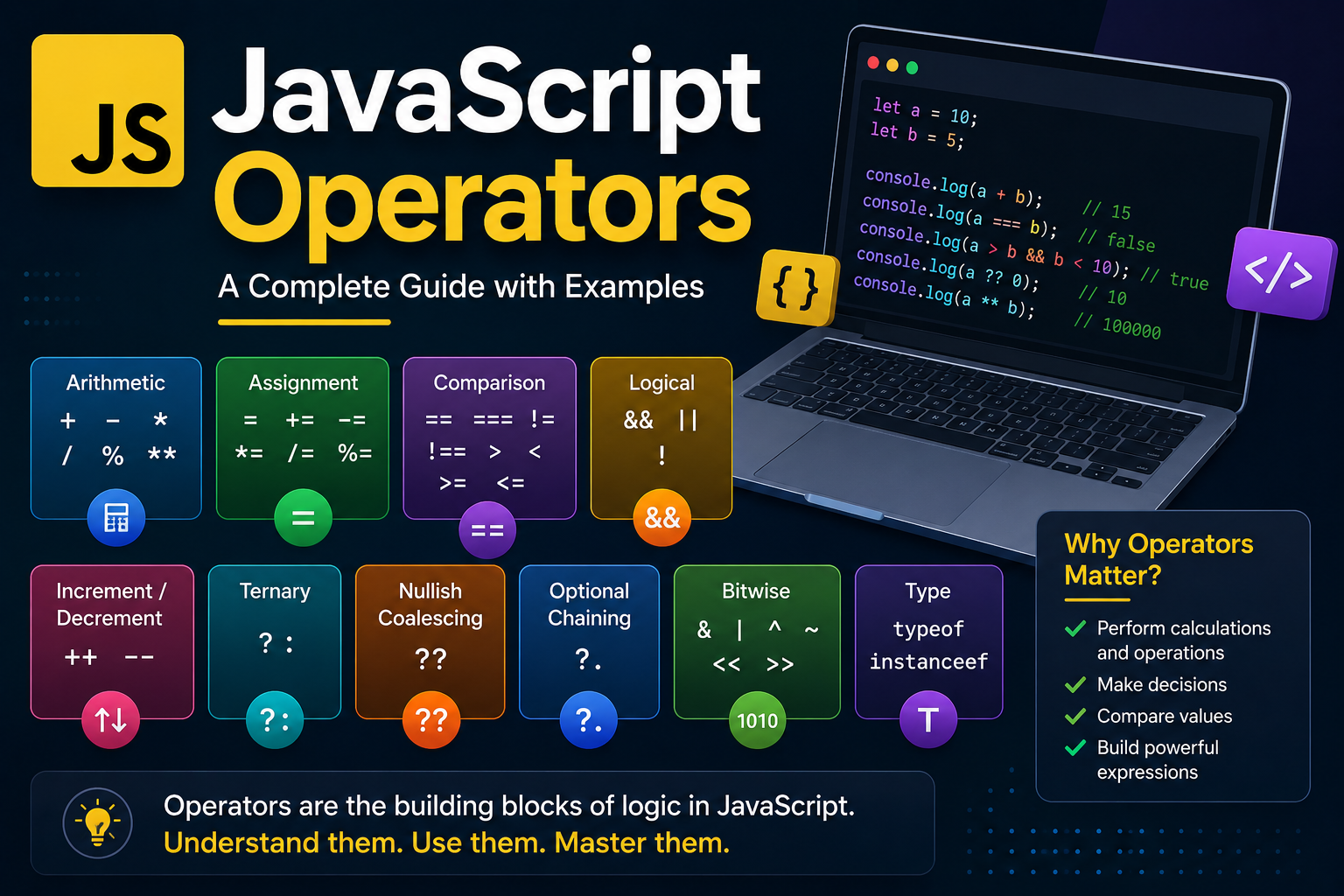
JavaScript is one of the most popular programming languages for web development. Whether you’re building interactive websites, web applications, or working with frameworks like React, understanding JavaScript operators is essential.
Operators are the building blocks of JavaScript expressions. They allow you to perform calculations, compare values, assign data, and control program logic.
In this guide, we’ll explore the different types of JavaScript operators with practical examples to help you master them.
What are JavaScript Operators?
JavaScript operators are symbols or keywords used to perform operations on variables and values.
For example:
let sum = 10 + 5;
Here, the + symbol is an operator that adds two numbers.
Types of JavaScript Operators
JavaScript provides several categories of operators:
- Arithmetic Operators
- Assignment Operators
- Comparison Operators
- Logical Operators
- String Operators
- Increment and Decrement Operators
- Ternary Operator
- Nullish Coalescing Operator
- Optional Chaining Operator
- Bitwise Operators
- Type Operators
Let’s look at each one.
1. Arithmetic Operators
Arithmetic operators perform mathematical calculations.
| Operator | Description | Example |
|---|---|---|
+ | Addition | 5 + 3 |
- | Subtraction | 5 - 3 |
* | Multiplication | 5 * 3 |
/ | Division | 10 / 2 |
% | Modulus (Remainder) | 10 % 3 |
** | Exponentiation | 2 ** 3 |
Example
let a = 20;
let b = 4;

console.log(a + b);
console.log(a - b);
console.log(a * b);
console.log(a / b);
console.log(a % b);
console.log(a ** 2);
Output:
24
16
80
5
0
400
2. Assignment Operators
Assignment operators assign values to variables.
| Operator | Example | Equivalent |
|---|---|---|
= | x = 5 | Assign value |
+= | x += 2 | x = x + 2 |
-= | x -= 2 | x = x - 2 |
*= | x *= 2 | x = x * 2 |
/= | x /= 2 | x = x / 2 |
%= | x %= 2 | x = x % 2 |
Example:
let score = 50;

score += 10;
score *= 2;

console.log(score);
Output:
120
3. Comparison Operators
Comparison operators compare two values and return either true or false.
| Operator | Description |
|---|---|
== | Equal (checks value only) |
=== | Strict Equal (checks value and type) |
!= | Not Equal |
!== | Strict Not Equal |
> | Greater Than |
< | Less Than |
>= | Greater Than or Equal |
<= | Less Than or Equal |
Example:
console.log(5 == "5");
console.log(5 === "5");
console.log(5 !== "5");
Output:
true
false
true
Tip: Always prefer === and !== because they compare both value and data type, reducing unexpected behavior.
4. Logical Operators
Logical operators combine multiple conditions.
| Operator | Meaning |
|---|---|
&& | AND |
| ` | |
! | NOT |
Example:
let age = 25;
let hasLicense = true;

console.log(age >= 18 && hasLicense);
Output:
true
5. String Operator
The + operator can concatenate strings.
let firstName = "Ashutosh";
let lastName = "Rajbhar";

console.log(firstName + " " + lastName);
Output:
Ashutosh Rajbhar
6. Increment and Decrement Operators
These operators increase or decrease a variable by one.
| Operator | Meaning |
|---|---|
++ | Increment |
-- | Decrement |
Example:
let count = 5;

count++;
count--;

console.log(count);
Output:
5
7. Ternary Operator
The ternary operator is a shorthand for an if...else statement.
Syntax:
condition ? valueIfTrue : valueIfFalse;
Example:
let age = 20;

let message = age >= 18 ? "Adult" : "Minor";

console.log(message);
Output:
Adult
8. Nullish Coalescing Operator (??)
This operator returns the right-hand value only if the left-hand value is null or undefined.
let username = null;

console.log(username ?? "Guest");
Output:
Guest
Unlike ||, the ?? operator does not treat 0, false, or an empty string as missing values.
9. Optional Chaining Operator (?.)
Optional chaining safely accesses nested object properties without throwing an error if a property is missing.
const user = {
    name: "John"
};

console.log(user.address?.city);
Output:
undefined
This is especially useful when working with API responses or deeply nested objects.
10. Bitwise Operators
Bitwise operators work on the binary representation of numbers.
Common operators include:
| Operator | Description |
|---|---|
& | AND |
| ` | ` |
^ | XOR |
~ | NOT |
<< | Left Shift |
>> | Right Shift |
These are commonly used in low-level programming and performance optimizations but are less common in everyday web development.
11. Type Operators
JavaScript provides operators to determine or work with data types.
typeof
console.log(typeof "Hello");
console.log(typeof 100);
console.log(typeof true);
Output:
string
number
boolean
instanceof
let date = new Date();

console.log(date instanceof Date);
Output:
true
Operator Precedence
JavaScript follows operator precedence, meaning some operators are evaluated before others.
Example:
console.log(5 + 2 * 3);
Output:
11
Multiplication happens before addition.
Use parentheses to make expressions clearer.
console.log((5 + 2) * 3);
Output:
21
Best Practices
- Use
===instead of==. - Prefer
constfor variables that won’t change. - Use
??instead of||when you only want to handlenullorundefined. - Use optional chaining (
?.) when working with nested objects. - Add parentheses to improve readability in complex expressions.
- Keep expressions simple and easy to understand.
Conclusion
JavaScript operators are fundamental to writing efficient and readable code. From performing basic arithmetic to comparing values, assigning variables, and handling complex conditions, operators are used in almost every JavaScript program.
As you gain experience, modern operators like optional chaining (?.) and nullish coalescing (??) will help you write cleaner and more robust code. Understanding when and how to use each operator will make your code easier to maintain and less prone to bugs.
Practice these operators regularly, and they’ll quickly become second nature.
Frequently Asked Questions
What are JavaScript operators?
JavaScript operators are symbols or keywords used to perform operations on values and variables.
What is the difference between == and ===?
== compares values after type conversion, while === compares both value and type. Using === is generally recommended.
What does the ?? operator do?
The nullish coalescing operator returns the right-hand value only when the left-hand value is null or undefined.
What is optional chaining (?.)?
Optional chaining safely accesses nested object properties without causing an error if a property doesn’t exist.
Which JavaScript operator is used for conditions?
The ternary operator (condition ? trueValue : falseValue) is commonly used as a shorthand for simple conditional statements.