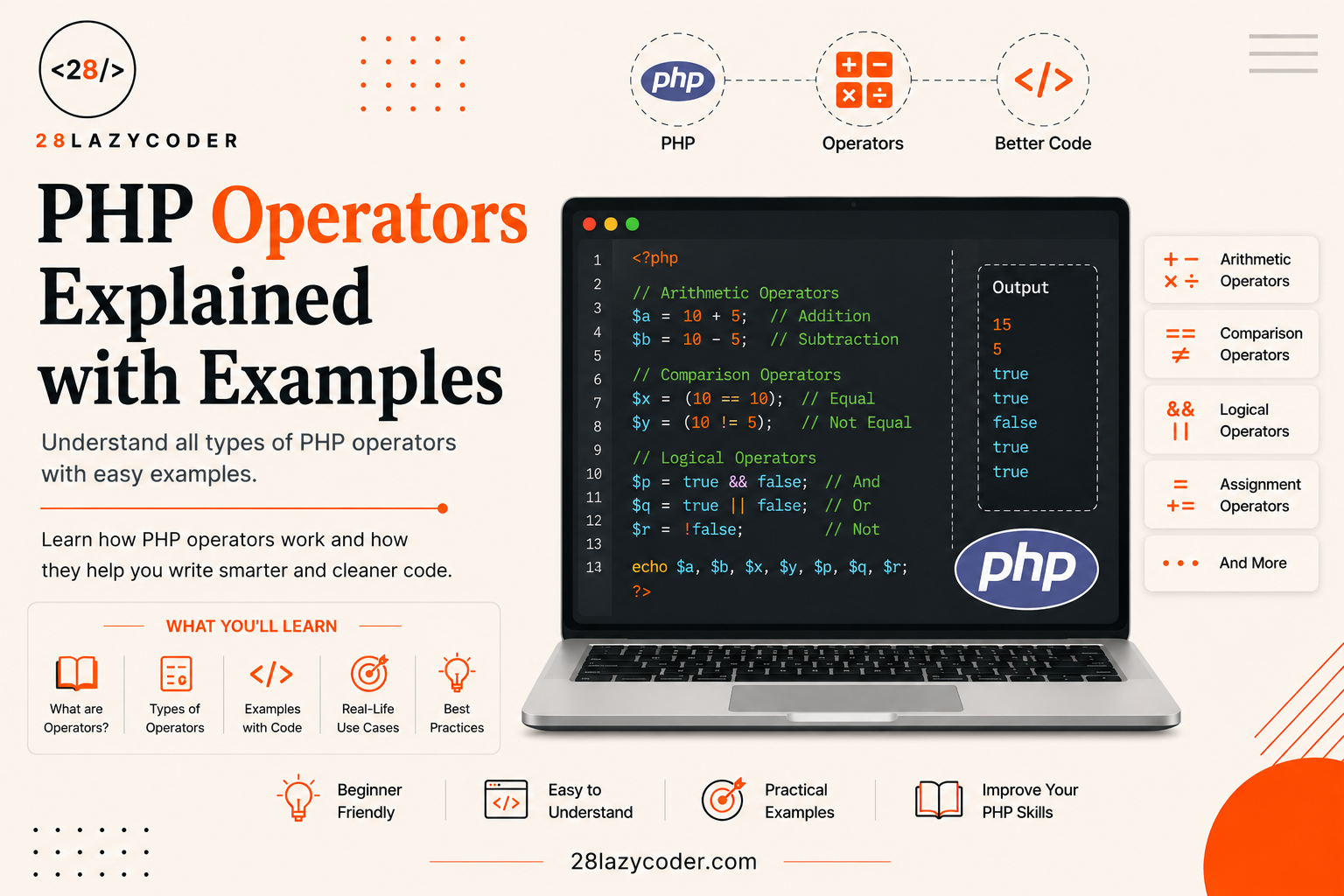
Think about a simple calculator on your phone. You type 5, tap +, type 3, and it shows 8. That little + sign is doing all the work. In programming, we call symbols like + operators they take some values and “operate” on them to give you a result.
If you’ve already looked at PHP variables, you know how to store values in a box called a variable. Operators are how you actually do something with those values add them, compare them, combine them, or check if a condition is true.
By the end of this guide, you’ll understand every major type of PHP operator, when to use each one, and the small mistakes beginners usually make with them (like mixing up = and ==, which trips up almost everyone at first).
Let’s get into it.
What Is an Operator in PHP?
An operator is a symbol that tells PHP to perform a specific action on one or more values. Those values are called operands.
Take this simple line of code:
php
$total = 5 + 3;Here:
5and3are the operands (the values being worked on)+is the operator (it tells PHP to add them)=is also an operator — it tells PHP to store the result inside the variable$total
So this one line actually uses two operators at once. Once you start noticing them, you’ll see operators in almost every line of real PHP code.
Types of PHP Operators
PHP has quite a few operator categories, but you don’t need to memorize them all today. We’ll go through the ones you’ll actually use, one at a time, with beginner-friendly examples for each.
1. Arithmetic Operators
These are the operators you already know from school math class — just used inside code.
| Operator | Name | Example | Result |
|---|---|---|---|
+ | Addition | 5 + 3 | 8 |
- | Subtraction | 5 - 3 | 2 |
* | Multiplication | 5 * 3 | 15 |
/ | Division | 10 / 3 | 3.333... |
% | Modulus (remainder) | 10 % 3 | 1 |
** | Exponentiation (power) | 2 ** 3 | 8 |
php
<?php
$a = 10;
$b = 3;

echo $a + $b; // 13
echo $a - $b; // 7
echo $a * $b; // 30
echo $a / $b; // 3.3333333333333
echo $a % $b; // 1 (remainder after dividing 10 by 3)
echo $a ** $b; // 1000 (10 to the power of 3)
?>
What’s the Modulus Operator Actually For?
The % operator is one beginners often skip past, but it’s very useful. It gives you the leftover amount after division. A classic use is checking whether a number is even or odd:
php
<?php
$number = 7;

if ($number % 2 == 0) {
    echo "Even number";
} else {
    echo "Odd number";
}
// Output: Odd number
?>
Since 7 % 2 leaves a remainder of 1 (not 0), PHP knows it’s odd.
2. Assignment Operators
Assignment operators store a value inside a variable. The most basic one is =.
Important beginner note: in everyday English, = means “equal to.” In PHP, = does not mean equal it means “put this value into that variable.” This single mix-up causes more beginner bugs than almost anything else, so keep it in mind as you go.
php
<?php
$x = 10; // store 10 in $x
echo $x; // 10
?>
PHP also gives you shortcut versions that combine an arithmetic operation with assignment in one step:
| Operator | Same As | Example |
|---|---|---|
+= | $x = $x + value | $x += 5; |
-= | $x = $x - value | $x -= 5; |
*= | $x = $x * value | $x *= 5; |
/= | $x = $x / value | $x /= 5; |
%= | $x = $x % value | $x %= 5; |
.= | $x = $x . value | $x .= "text"; |
php
<?php
$score = 10;
$score += 5; // same as $score = $score + 5
echo $score; // 15
?>
This shortcut style is extremely common in real PHP code, so it’s worth getting comfortable with it early.
3. Comparison Operators
Comparison operators compare two values and give you back a boolean a simple true or false answer. Booleans are the yes/no values that power almost every decision your code makes.
| Operator | Meaning | Example | Result |
|---|---|---|---|
== | Equal (value only) | 5 == "5" | true |
=== | Identical (value AND type) | 5 === "5" | false |
!= | Not equal | 5 != 3 | true |
!== | Not identical | 5 !== "5" | true |
> | Greater than | 5 > 3 | true |
< | Less than | 5 < 3 | false |
>= | Greater than or equal | 5 >= 5 | true |
<= | Less than or equal | 5 <= 4 | false |
<=> | Spaceship (returns -1, 0, or 1) | 5 <=> 3 | 1 |
== vs === The Difference That Confuses Everyone
This is genuinely one of the most important things to understand in PHP.
==only checks if the values look the same, even if they’re different data types. So5(a number) and"5"(text) are treated as equal.===checks if the values are the same and the data types match. So5and"5"are not identical, because one is a number and the other is text.
php
<?php
var_dump(5 == "5");  // true  (values match)
var_dump(5 === "5"); // false (types don't match: int vs string)
?>
If you’re just starting out, a good habit is to default to === unless you have a specific reason to use ==. It avoids a whole category of confusing bugs later on. If you want to dig deeper into how PHP treats text values, our guide on PHP strings is a good next stop, and our PHP data types guide explains exactly why 5 and "5" aren’t really the same thing under the hood.
4. Logical Operators
Logical operators let you combine multiple true/false conditions into one bigger decision.
| Operator | Name | Meaning |
|---|---|---|
&& or and | AND | True only if both sides are true |
|| or or | OR | True if at least one side is true |
! | NOT | Flips true to false, and false to true |
php
<?php
$age = 20;
$hasID = true;

if ($age >= 18 && $hasID) {
    echo "You can enter.";
} else {
    echo "Entry not allowed.";
}
// Output: You can enter.
?>
Think of && like a strict bouncer at a club both conditions must be satisfied. || is more relaxed it’s happy if even one condition is met. And ! is simply the opposite of whatever you give it.
5. Increment and Decrement Operators
These are quick shortcuts for adding or subtracting 1 from a variable something you’ll do constantly when working with loops or counters.
| Operator | Meaning |
|---|---|
++$x | Increase by 1, then use the value (pre-increment) |
$x++ | Use the value, then increase by 1 (post-increment) |
--$x | Decrease by 1, then use the value (pre-decrement) |
$x-- | Use the value, then decrease by 1 (post-decrement) |
php
<?php
$count = 5;
echo $count++; // shows 5, then $count becomes 6
echo $count;   // shows 6

$count = 5;
echo ++$count; // $count becomes 6 first, then shows 6
?>
The difference between $x++ and ++$x is subtle, and honestly, most beginners won’t notice a problem until they use it inside a more complex expression. For now, just remember: the position of ++ decides whether PHP uses the old value first or the new one.
6. String Operators
PHP has two operators specifically for working with text (strings).
| Operator | Name | Example |
|---|---|---|
. | Concatenation (joins strings) | "Hello " . "World" |
.= | Concatenation assignment | $greeting .= "!" |
php
<?php
$firstName = "Ashu";
$greeting = "Hello, " . $firstName . "!";
echo $greeting; // Hello, Ashu!
?>
If you’re combining strings and want to display them, you might also enjoy our comparison of echo vs print in PHP both are used to output text, but they behave slightly differently.
7. Array Operators
If you ever work with arrays (lists of values), PHP has operators just for comparing or combining them.
| Operator | Name | What It Does |
|---|---|---|
+ | Union | Combines two arrays |
== | Equality | True if arrays have the same key/value pairs |
=== | Identity | True if arrays have the same key/value pairs in the same order and type |
php
<?php
$a = ["red", "green"];
$b = ["blue", "yellow"];
$result = $a + $b;
print_r($result);
// [0 => "red", 1 => "green"]
// (only missing keys from $b are added)
?>
Arrays are a bigger topic on their own, so we won’t go too deep here just know these operators exist for when you start working with lists of data.
8. Null Coalescing Operator (??)
This one is a lifesaver when you’re not sure if a value exists yet. It gives you a fallback value if the original is missing or null.
php
<?php
$username = $_GET['user'] ?? "Guest";
echo $username;
// If 'user' isn't set in the URL, it safely shows "Guest" instead of an error
?>
Without ??, checking for missing values used to take several lines of code. This one small operator makes it a single line, which is why it’s used so often in real-world PHP, especially when working with forms and user input.
Operator Precedence — What Runs First?
Just like in math, PHP follows an order of operations. Multiplication and division happen before addition and subtraction, for example.
php
<?php
echo 2 + 3 * 4; // 14, not 20
// Because * runs before +
?>
If you’re ever unsure, the safest option is to use parentheses () to make your intention crystal clear:
php
<?php
echo (2 + 3) * 4; // 20
?>
This isn’t just a beginner trick experienced developers use parentheses all the time simply to make code easier to read, even when they aren’t strictly necessary.
Common Mistakes Beginners Make with Operators
- Using
=instead of==inside anifcondition. This assigns a value instead of comparing it, and can cause confusing bugs. - Assuming
==and===behave the same way. They don’t always double-check when comparing different data types. - Forgetting that
/can return a decimal, even when dividing two whole numbers. - Mixing up
++$xand$x++inside more complex expressions. - Not using parentheses when an expression has multiple operators, leading to unexpected results.
None of these mean you’re bad at coding literally every PHP developer has made each of these mistakes at least once. The goal is just to recognize them faster next time.
Conclusion
Operators are one of the smallest-looking parts of PHP, but they show up in nearly every single line of real code you’ll ever write. Once arithmetic, assignment, comparison, and logical operators feel natural to you, reading and writing PHP gets a lot easier because you’re no longer stopping to think about what each symbol means.
The best way to lock this in is to open a PHP file and try each example yourself, tweak the numbers, and watch what changes. That hands-on practice is what actually makes it stick.
FAQs
Q1. What is the difference between = and == in PHP? = is the assignment operator it stores a value in a variable. == is a comparison operator it checks if two values are equal. Mixing these up is one of the most common beginner mistakes.
Q2. What does === mean in PHP? === checks whether two values are equal and of the same data type. For example, 5 === "5" is false because one is a number and the other is text, even though they look the same.
Q3. What is the modulus operator used for? The % operator returns the remainder after division. It’s commonly used to check if a number is even or odd, or to repeat something every “nth” time in a loop.
Q4. What is the null coalescing operator (??) in PHP? It provides a fallback value when a variable doesn’t exist or is null, saving you from writing longer isset() checks.
Q5. Do I need to memorize all PHP operators? No. Start with arithmetic, assignment, comparison, and logical operators since you’ll use those daily. The rest (array operators, spaceship operator, etc.) will make sense naturally as you build real projects.
Continue Learning
- PHP Variables: Everything You Need to Know
- PHP Data Types Explained: A Complete Beginner’s Guide
- PHP Strings Explained: A Beginner’s Guide with Examples
- Echo vs Print in PHP: What’s the Difference?
- HTML Forms Explained: A Complete Beginner’s Guide
Explore more guides on 28LazyCoder.
External Reference: For the complete, official list of PHP operators and their precedence rules, see the PHP Manual: Operators.