If you’re learning PHP, you’ll quickly reach a point where storing just one value in a variable isn’t enough.
Maybe you want to store the names of several students. Or a list of products. Or information about multiple users.
You could create a separate variable for every value:
$student1 = "Rahul";
$student2 = "Priya";
$student3 = "Aman";
But imagine doing this for 100 students.
Not fun.
This is where PHP arrays become useful.
An array lets you store and organize multiple values using a single variable. PHP arrays are actually ordered maps, which means they associate keys with values and can be used for lists, key-value data, and even multidimensional structures. PHP’s official documentation explains arrays in detail.
In this beginner-friendly guide, you’ll learn PHP arrays from scratch with practical examples.
We’ll cover:
- What PHP arrays are
- How to create an array
- Indexed arrays
- Associative arrays
- Multidimensional arrays
- How to access and modify values
- How to add and remove elements
- How to loop through arrays
- Useful PHP array functions
- Real-world examples
- Common beginner mistakes
- A quick PHP array cheat sheet
Let’s get started.
What Is an Array in PHP?
An array in PHP is a data structure that stores values using keys.
For a simple list, you can write:
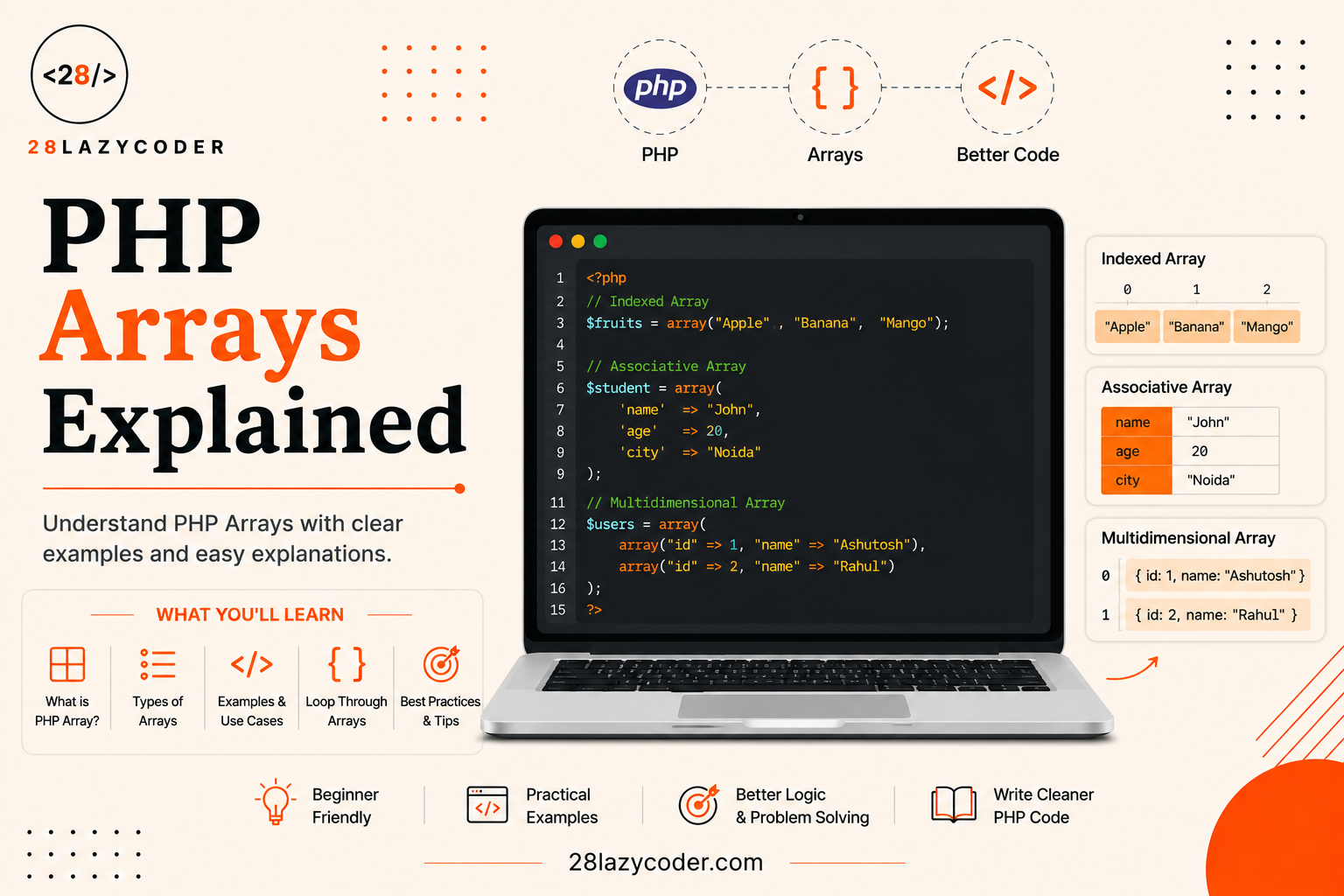
$fruits = ["Apple", "Banana", "Mango"];
Instead of having three separate variables, you now have one $fruits array containing three values.
You can think of it like this:
$fruits

0 → Apple
1 → Banana
2 → Mango
The numbers on the left are the array’s keys.
PHP arrays can also use meaningful keys:
$user = [
    "name" => "Rahul",
    "age" => 25,
    "city" => "Delhi"
];
Now the keys are:
name → Rahul
age  → 25
city → Delhi
This makes arrays useful for everything from simple lists to structured application data.
If you’re new to variables, it’s worth understanding PHP variables before going deeper into arrays.
Note: The internal structure of PHP arrays is more flexible than a traditional array in some other programming languages. PHP officially describes an array as an ordered map. Learn more in the PHP manual.
How to Create an Array in PHP
There are two common syntaxes for creating arrays.
Using Square Brackets []
The short array syntax is clean and commonly used in modern PHP code:
$colors = ["Red", "Green", "Blue"];
You can also write it across multiple lines:
$colors = [
    "Red",
    "Green",
    "Blue"
];
Using array()
PHP also supports the array() language construct:
$colors = array("Red", "Green", "Blue");
Both create an array.
For new code, you’ll commonly see the shorter [] syntax.
You can check the official PHP documentation for array syntax for more details.
PHP Array Keys and Indexes
Here’s an important concept to understand early:
PHP arrays use keys to identify their values.
When you create a simple list without specifying keys:
$fruits = ["Apple", "Banana", "Mango"];
PHP automatically assigns integer keys:
0 → Apple
1 → Banana
2 → Mango
So the first value has key 0, not 1.
You can access it using:
echo $fruits[0];
Output:
Apple
The second value is:
echo $fruits[1];
Output:
Banana
And the third:
echo $fruits[2];
Output:
Mango
Remember
First value  → 0
Second value → 1
Third value  → 2
PHP also allows you to explicitly specify integer or string keys. The PHP array documentation covers the key rules in detail.
Indexed Arrays in PHP
An indexed array is an array that uses integer keys.
For example:
$fruits = [
    "Apple",
    "Banana",
    "Mango"
];
PHP creates the keys automatically:
0 → Apple
1 → Banana
2 → Mango
You can also specify the keys yourself:
$fruits = [
    0 => "Apple",
    1 => "Banana",
    2 => "Mango"
];
Both represent the same basic list.
When should you use an indexed array?
Indexed arrays are useful when you mainly care about the order of items.
For example:
$languages = [
    "PHP",
    "JavaScript",
    "Python",
    "Java"
];
Here, you don’t necessarily need a descriptive key for each language.
How to Access Array Values
To access an element, use its key inside square brackets.
$fruits = ["Apple", "Banana", "Mango"];

echo $fruits[0];
Output:
Apple
You can also store the value in another variable:
$firstFruit = $fruits[0];

echo $firstFruit;
This becomes especially useful when you’re processing array data.
How to Change an Array Value
You can update an existing array element by using its key.
For example:
$fruits = [
    "Apple",
    "Banana",
    "Mango"
];

$fruits[1] = "Orange";
Now the array is:
0 → Apple
1 → Orange
2 → Mango
You replaced "Banana" with "Orange".
How to Add Values to a PHP Array
Adding a value to the end of an indexed array is simple.
Use []:
$fruits = [
    "Apple",
    "Banana",
    "Mango"
];

$fruits[] = "Orange";
Now:
Apple
Banana
Mango
Orange
You can keep adding values:
$fruits[] = "Grapes";
$fruits[] = "Pineapple";
This is one of the simplest ways to append values to an array.
How to Remove a Value from a PHP Array
PHP provides the unset() construct for removing an array element.
For example:
$fruits = [
    "Apple",
    "Banana",
    "Mango"
];

unset($fruits[1]);
The "Banana" element is removed.
But there’s an important detail.
The array does not automatically re-index itself.
You may now have:
0 → Apple
2 → Mango
If you want sequential numeric keys again, use array_values():
$fruits = array_values($fruits);
Now you have:
0 → Apple
1 → Mango
This behavior is documented in the official PHP manual. See unset() and array re-indexing.
Associative Arrays in PHP
Not every piece of data makes sense as a numbered list.
Imagine storing information about a user.
You could write:
$name = "Rahul";
$age = 25;
$city = "Delhi";
But you can group this information into an associative array:
$user = [
    "name" => "Rahul",
    "age" => 25,
    "city" => "Delhi"
];
This is an associative array.
Instead of accessing values using numbers, you use meaningful keys.
name → Rahul
age  → 25
city → Delhi
How to Access Associative Array Values
Use the key inside square brackets:
$user = [
    "name" => "Rahul",
    "age" => 25,
    "city" => "Delhi"
];

echo $user["name"];
Output:
Rahul
You can access the other values in the same way:
echo $user["age"];
Output:
25
And:
echo $user["city"];
Output:
Delhi
Associative arrays are particularly useful when your data has a clear meaning attached to each value.
Updating an Associative Array
You can change an associative array value just as easily:
$user = [
    "name" => "Rahul",
    "age" => 25
];

$user["age"] = 26;
Now:
name → Rahul
age  → 26
You can also add a new key:
$user["profession"] = "Web Developer";
The array now contains:
[
    "name" => "Rahul",
    "age" => 26,
    "profession" => "Web Developer"
]
Removing an Associative Array Value
Use unset() with the key:
$user = [
    "name" => "Rahul",
    "age" => 25,
    "city" => "Delhi"
];

unset($user["city"]);
Now the city key is gone.
Multidimensional Arrays in PHP
What if an array needs to contain other arrays?
That’s where multidimensional arrays come in.
For example, suppose you’re building a student management system.
You might have:
$students = [
    [
        "name" => "Rahul",
        "age" => 20
    ],
    [
        "name" => "Priya",
        "age" => 21
    ],
    [
        "name" => "Aman",
        "age" => 19
    ]
];
Here, $students contains three arrays.
Each inner array represents one student.
You can think of it like this:
students
│
├── Student 1
│   ├── name → Rahul
│   └── age  → 20
│
├── Student 2
│   ├── name → Priya
│   └── age  → 21
│
└── Student 3
    ├── name → Aman
    └── age  → 19
PHP supports arrays containing other arrays, which is why multidimensional structures are possible. The official PHP manual covers multidimensional arrays here.
How to Access a Multidimensional Array
To access Rahul’s name:
echo $students[0]["name"];
Why does this work?
First:
$students[0]
gets the first student.
Then:
["name"]
gets that student’s name.
So:
$students[0]["name"]
means:
Get the name of the first student.
Similarly:
echo $students[1]["name"];
returns:
Priya
And:
echo $students[2]["age"];
returns:
19
How to Loop Through a PHP Array
When you have a few values, accessing them manually is fine.
But what if you have 100 products?
You don’t want to write:
echo $products[0];
echo $products[1];
echo $products[2];
This is where the foreach loop becomes extremely useful.
PHP’s foreach construct is specifically designed to iterate over arrays and other iterable values. See the official foreach documentation.
Here’s a simple example:
$fruits = [
    "Apple",
    "Banana",
    "Mango"
];

foreach ($fruits as $fruit) {
    echo $fruit . "<br>";
}
Output:
Apple
Banana
Mango
The loop takes each value from $fruits and temporarily stores it in $fruit.
Looping Through an Associative Array
With associative arrays, you can get both the key and the value:
$user = [
    "name" => "Rahul",
    "age" => 25,
    "city" => "Delhi"
];

foreach ($user as $key => $value) {
    echo $key . ": " . $value . "<br>";
}
Output:
name: Rahul
age: 25
city: Delhi
This pattern is extremely common when working with structured PHP data.
Looping Through a Multidimensional Array
You can also use foreach with an array containing multiple records:
$students = [
    [
        "name" => "Rahul",
        "course" => "PHP"
    ],
    [
        "name" => "Priya",
        "course" => "JavaScript"
    ],
    [
        "name" => "Aman",
        "course" => "React"
    ]
];

foreach ($students as $student) {
    echo $student["name"] . " - ";
    echo $student["course"] . "<br>";
}
Output:
Rahul - PHP
Priya - JavaScript
Aman - React
Once you understand this pattern, you’ll start seeing why arrays are so useful in real applications.
Useful PHP Array Functions
PHP provides a large collection of functions for working with arrays. The official PHP documentation has a dedicated Array Functions reference.
Here are some of the most useful ones for beginners.
count()
count() tells you how many elements are in an array.
$fruits = [
    "Apple",
    "Banana",
    "Mango"
];

echo count($fruits);
Output:
3
This is useful when you need to know how many items you have.
in_array()
Want to check whether a value exists?
Use in_array():
$fruits = [
    "Apple",
    "Banana",
    "Mango"
];

if (in_array("Mango", $fruits)) {
    echo "Mango found!";
}
Output:
Mango found!
You can learn more about PHP’s in_array() function.
array_push()
You can add elements to the end of an array using array_push():
$fruits = [
    "Apple",
    "Banana"
];

array_push($fruits, "Mango", "Orange");
The result is:
Apple
Banana
Mango
Orange
For adding just one value, however, this is usually simpler:
$fruits[] = "Mango";
array_pop()
array_pop() removes the last element:
$fruits = [
    "Apple",
    "Banana",
    "Mango"
];

array_pop($fruits);
Now:
Apple
Banana
array_shift()
array_shift() removes the first element:
$fruits = [
    "Apple",
    "Banana",
    "Mango"
];

array_shift($fruits);
Now:
Banana
Mango
array_unshift()
Want to add something to the beginning?
Use array_unshift():
$fruits = [
    "Banana",
    "Mango"
];

array_unshift($fruits, "Apple");
Now:
Apple
Banana
Mango
sort()
The sort() function sorts an array in ascending order.
$numbers = [50, 10, 40, 20, 30];

sort($numbers);

print_r($numbers);
Result:
10
20
30
40
50
Be aware that sort() re-indexes the array and sorts by value.
If you’re working with associative arrays and need to preserve key associations, functions such as asort() or ksort() may be more appropriate.
You can explore all of PHP’s sorting functions in the official PHP array functions documentation.
array_merge()
Need to combine arrays?
Use array_merge():
$frontend = [
    "HTML",
    "CSS"
];

$backend = [
    "PHP",
    "MySQL"
];

$skills = array_merge($frontend, $backend);

print_r($skills);
Result:
HTML
CSS
PHP
MySQL
This is useful when you’re combining data from different sources.
Checking Whether an Array Is Empty
Sometimes you need to know whether an array contains anything.
You can use empty():
$fruits = [];

if (empty($fruits)) {
    echo "The array is empty.";
}
Output:
The array is empty.
This can be useful when processing form data, search results, database results, or API responses.
Checking Whether a Variable Is an Array
PHP also provides is_array():
$fruits = [
    "Apple",
    "Banana"
];

if (is_array($fruits)) {
    echo "This is an array.";
}
Output:
This is an array.
This can be useful when you’re working with data whose type isn’t immediately obvious.
How to Display an Array for Debugging
A common beginner mistake is trying to do this:
echo $fruits;
That’s not how you normally inspect an entire PHP array.
PHP arrays cannot be directly displayed with echo as their contents. PHP converts an array to the string "Array" in a string context.
Instead, use print_r():
$fruits = [
    "Apple",
    "Banana",
    "Mango"
];

print_r($fruits);
Or use var_dump() when you want more detailed type information:
var_dump($fruits);
When debugging PHP, these two functions are extremely useful.
Real-World Example: Product List
Let’s say you’re building a small online store.
You might have a simple product list:
$products = [
    "Laptop",
    "Mobile Phone",
    "Keyboard",
    "Mouse"
];
You can display every product using foreach:
foreach ($products as $product) {
    echo $product . "<br>";
}
Output:
Laptop
Mobile Phone
Keyboard
Mouse
But real product data usually contains more than just a name.
You might have:
$products = [
    [
        "name" => "Laptop",
        "price" => 55000
    ],
    [
        "name" => "Mobile Phone",
        "price" => 25000
    ],
    [
        "name" => "Keyboard",
        "price" => 1500
    ]
];
Now you can display the product information:
foreach ($products as $product) {
    echo $product["name"];
    echo " - ₹" . $product["price"];
    echo "<br>";
}
Output:
Laptop - ₹55000
Mobile Phone - ₹25000
Keyboard - ₹1500
This pattern—an array containing multiple associative arrays—is something you’ll encounter frequently when building PHP applications.
Real-World Example: Student Records
Here’s another practical example.
Imagine a student management application:
$students = [
    [
        "name" => "Rahul",
        "age" => 20,
        "course" => "PHP"
    ],
    [
        "name" => "Priya",
        "age" => 21,
        "course" => "JavaScript"
    ],
    [
        "name" => "Aman",
        "age" => 22,
        "course" => "React"
    ]
];
You can display the records:
foreach ($students as $student) {
    echo "Name: " . $student["name"] . "<br>";
    echo "Age: " . $student["age"] . "<br>";
    echo "Course: " . $student["course"] . "<br>";
    echo "<hr>";
}
This is much closer to the kind of structure you’ll use in a real project than a simple array of fruit names.
PHP Arrays and Form Data
Arrays are also important when working with HTML forms.
For example, imagine a form where a user can select multiple skills:
☑ HTML
☑ CSS
☑ JavaScript
☑ PHP
When multiple form values are submitted using the appropriate HTML field naming convention, PHP can receive them as an array.
You might then process them like this:
$skills = $_POST["skills"];

foreach ($skills as $skill) {
    echo $skill . "<br>";
}
This is one reason arrays become important when you move from basic PHP syntax into actual web development.
PHP Arrays and Database Results
You’ll also encounter arrays when working with databases.
A database row might be represented as:
$user = [
    "id" => 1,
    "name" => "Rahul",
    "email" => "rahul@example.com"
];
Multiple records can be represented as:
$users = [
    [
        "id" => 1,
        "name" => "Rahul"
    ],
    [
        "id" => 2,
        "name" => "Priya"
    ]
];
You can then loop through the records:
foreach ($users as $user) {
    echo $user["name"] . "<br>";
}
This pattern is common when working with database queries, APIs, and other sources of structured data.
For database-specific work, always refer to the documentation for the database extension or library you’re using rather than assuming every query result has exactly the same structure.
Common PHP Array Mistakes
Let’s look at a few mistakes beginners frequently make.
1. Forgetting That Indexed Keys Start at 0
Given:
$fruits = [
    "Apple",
    "Banana",
    "Mango"
];
The first element is:
$fruits[0]
Not:
$fruits[1]
2. Using a Numeric Key for an Associative Array
If you have:
$user = [
    "name" => "Rahul",
    "age" => 25
];
Use:
echo $user["name"];
Not:
echo $user[0];
The key is "name", not 0.
3. Trying to Echo an Entire Array
Don’t do:
echo $fruits;
Instead:
echo $fruits[0];
Or loop through it:
foreach ($fruits as $fruit) {
    echo $fruit;
}
For debugging:
print_r($fruits);
4. Assuming unset() Re-indexes the Array
Consider:
$numbers = [
    10,
    20,
    30
];

unset($numbers[1]);
You might expect:
0 → 10
1 → 30
But the remaining keys are actually:
0 → 10
2 → 30
If you need sequential keys:
$numbers = array_values($numbers);
Understanding this small detail can prevent some confusing bugs.
Indexed vs Associative vs Multidimensional Arrays
Here’s a quick comparison.
| Type | Example | Best for |
|---|---|---|
| Indexed | ["Apple", "Banana"] | Simple lists |
| Associative | ["name" => "Rahul"] | Named data |
| Multidimensional | [[...], [...]] | Groups of structured data |
Indexed array
$colors = [
    "Red",
    "Green",
    "Blue"
];
Associative array
$user = [
    "name" => "Rahul",
    "age" => 25
];
Multidimensional array
$users = [
    [
        "name" => "Rahul",
        "age" => 25
    ],
    [
        "name" => "Priya",
        "age" => 24
    ]
];
Once these three patterns become comfortable, you’ll be able to understand a large amount of everyday PHP code.
PHP Array Cheat Sheet
Here’s a quick reference you can keep handy.
Create an array
$fruits = ["Apple", "Banana", "Mango"];
Access an element
echo $fruits[0];
Change an element
$fruits[0] = "Orange";
Add an element
$fruits[] = "Grapes";
Remove an element
unset($fruits[1]);
Re-index an array
$fruits = array_values($fruits);
Count elements
count($fruits);
Check for a value
in_array("Apple", $fruits);
Loop through an array
foreach ($fruits as $fruit) {
    echo $fruit;
}
Sort an array
sort($fruits);
Merge arrays
array_merge($array1, $array2);
Debug an array
print_r($fruits);
or:
var_dump($fruits);
For a complete list of available array functions, check the official PHP Array Functions documentation.
Frequently Asked Questions
What is an array in PHP?
An array in PHP is an ordered map that associates keys with values. It can be used for simple lists, key-value data, and multidimensional structures.
What are the main types of PHP arrays?
Beginners commonly work with three patterns: indexed arrays, associative arrays, and multidimensional arrays.
Do PHP arrays start at 0?
When PHP automatically creates integer keys for a simple list, the first key is normally 0, followed by 1, 2, and so on.
How do I add an item to a PHP array?
For an indexed array, you can append an item using:
$array[] = "New Item";
You can also use array_push() when appropriate.
How do I remove an item from a PHP array?
Use unset() with the item’s key:
unset($array[1]);
Remember that unset() does not automatically re-index the remaining numeric keys.
How do I loop through a PHP array?
The foreach construct is commonly used:
foreach ($array as $value) {
    echo $value;
}
For key-value arrays:
foreach ($array as $key => $value) {
    echo $key . ": " . $value;
}
See the official PHP foreach documentation.
What is the difference between indexed and associative arrays?
An indexed array uses integer keys:
$colors = ["Red", "Green"];
An associative array uses named keys:
$user = [
    "name" => "Rahul",
    "age" => 25
];
Final Thoughts
PHP arrays might seem a little confusing when you’re seeing them for the first time.
But you don’t need to memorize dozens of array functions before you can start using them.
Start with these four things:
1. Create an array
2. Access a value
3. Modify or add a value
4. Loop through the array
Once those feel comfortable, start exploring functions such as:
count()
in_array()
array_merge()
sort()
array_pop()
array_shift()
array_values()
And most importantly, practice with real data.
Create an array of your favorite movies. Store your skills. Build a list of products. Create student records. Then try adding, removing, updating, sorting, and looping through those values.
That’s when PHP arrays stop feeling like a theory topic and start becoming a tool you can actually use.
If you’re following the PHP learning path on 28LazyCoder, arrays are an important step toward working with more practical concepts such as forms, databases, APIs, and WordPress development.
Keep learning. Keep building.
Learn • Build • Grow
— 28LazyCoder
Trusted Resources
Want to go deeper? These are reliable resources worth bookmarking: