Have you ever clicked a “Submit” button on a website and seen a little spinning loader before anything happens? During that spin, JavaScript is usually waiting on a Promise.
Promises are one of those topics that trip up a lot of beginners not because the idea is hard, but because most explanations jump straight into confusing words like “asynchronous,” “microtask queue,” and “event loop” before you even know what problem Promises are solving.
So let’s slow down. In this guide, we’ll build up the idea of a Promise from scratch, using an everyday example you already understand. By the end, you’ll know exactly what a Promise is, how to create one, how to use .then(), .catch(), and .finally(), and how to work with multiple Promises at once.
What Is a Promise in JavaScript?
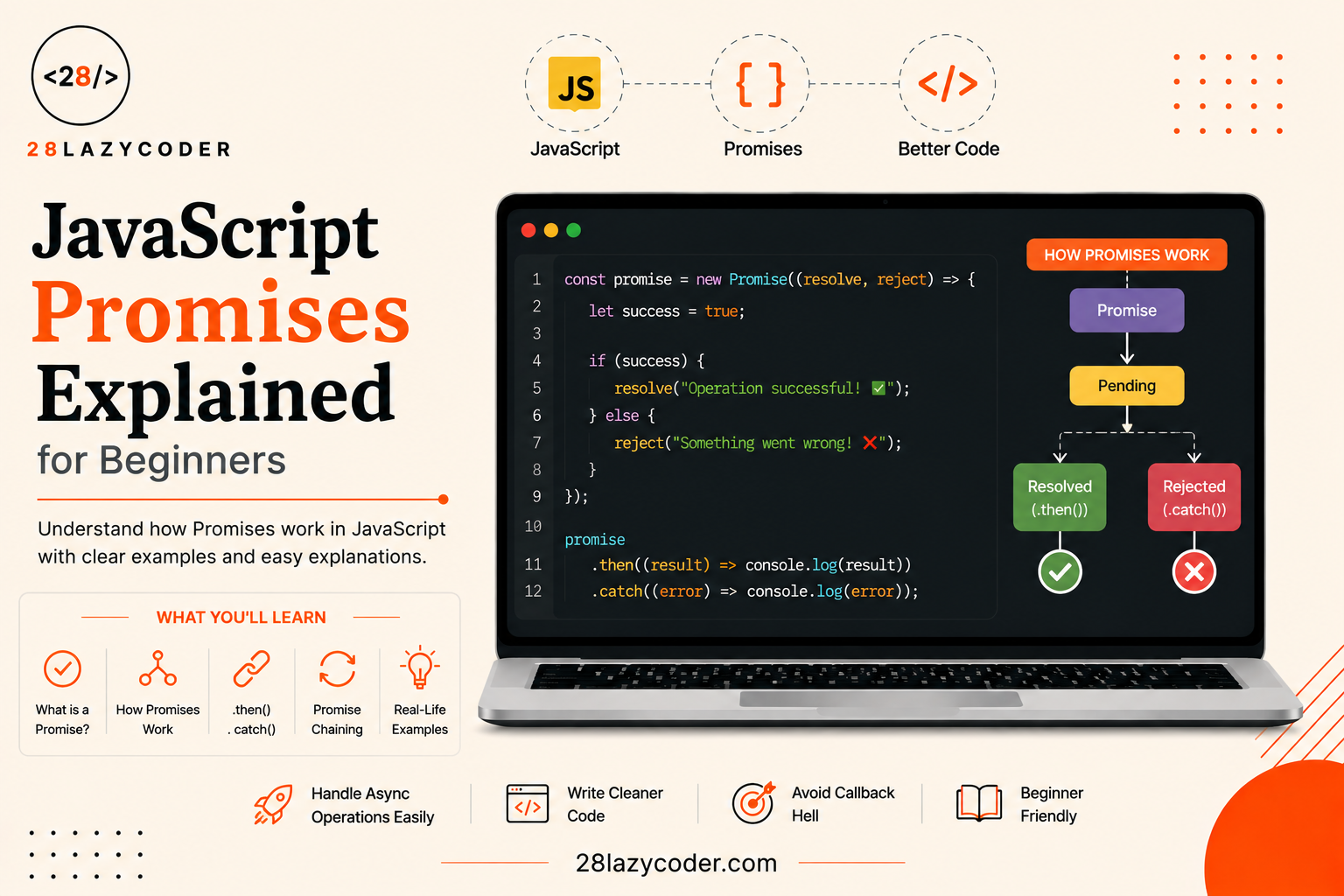
A Promise in JavaScript is an object that represents a task that hasn’t finished yet, but will finish at some point in the future either successfully or with an error.
Here’s a real-life way to think about it. Imagine you order a pizza online. The moment you place the order, you don’t get the pizza instantly. Instead, you get an order confirmation a kind of receipt that says “we’re working on it.” That confirmation can end in one of two ways:
- The pizza arrives at your door (success)
- The order gets cancelled because the shop ran out of ingredients (failure)
A JavaScript Promise works exactly like that order confirmation. It’s a placeholder for a value you don’t have yet, but you’re guaranteed to get an answer eventually either the task succeeds, or it fails.
Why Do We Need Promises?
Some tasks in JavaScript take time to complete. Common examples include:
- Fetching data from a server (like loading a user’s profile)
- Reading a large file
- Waiting a few seconds before running some code
These are called asynchronous tasks a fancy word that simply means “doesn’t happen instantly, and the rest of the program keeps running while it waits.”
Before Promises existed, developers handled these delayed tasks using something called callbacks (a function passed into another function, to be run later). If you’re not familiar with functions yet, our guide on JavaScript functions is a good place to start first.
Callbacks worked, but if you needed to run several delayed tasks one after another, your code turned into a deeply nested mess that developers nicknamed “callback hell.” Promises were introduced to clean this up, giving asynchronous code a much more readable, flat structure.
The Three States of a Promise
Every Promise is always in exactly one of these three states:
| State | What It Means |
|---|---|
| Pending | The task hasn’t finished yet. Still waiting. |
| Fulfilled | The task finished successfully. |
| Rejected | The task failed with an error. |
Simple analogy: Think of a Promise like a traffic light. It starts on yellow (pending get ready), and then it changes to either green (fulfilled go) or red (rejected stop). Once it changes to green or red, it never goes back to yellow. A Promise can only change state once; after that, it’s considered “settled.”
Creating Your First Promise
You create a Promise using the Promise constructor a built-in JavaScript tool for building new Promise objects. It takes a function as input, and that function gets two special tools to work with: resolve and reject.
javascript
const myFirstPromise = new Promise((resolve, reject) => {
  const taskSucceeded = true;

  if (taskSucceeded) {
    resolve("The task worked!");
  } else {
    reject("The task failed.");
  }
});
The Promise Constructor
Let’s break that code down piece by piece:
new Promise(...)creates a brand-new Promise object.- Inside it, you pass a function with two parameters:
resolveandreject. - Whatever code you write inside that function is called the executor it runs immediately, and its job is to eventually call either
resolve()orreject().
resolve() and reject() Explained
resolve(value)call this when the task finishes successfully. Whatever you pass in becomes the Promise’s result.reject(reason)call this when the task fails. Whatever you pass in becomes the error message.
Here’s a more realistic example using setTimeout (a built-in function that waits a set number of milliseconds before running code) to simulate a task that takes time, like a network request:
javascript
const orderPizza = new Promise((resolve, reject) => {
  console.log("Order placed. Waiting for the pizza...");

  setTimeout(() => {
    const pizzaIsReady = true;

    if (pizzaIsReady) {
      resolve("Your pizza has arrived!");
    } else {
      reject("Sorry, the pizza shop is closed.");
    }
  }, 2000); // waits 2 seconds
});
At this point, orderPizza exists and is in the “pending” state. Nothing has happened with the result yet we need a way to actually react to it, which is where .then() comes in.
Using a Promise: then, catch, and finally
Once you have a Promise, you attach handlers to it functions that run automatically once the Promise settles (either succeeds or fails).
.then() Handling Success
.then() runs when the Promise is fulfilled. It receives the value passed into resolve().
javascript
orderPizza.then((message) => {
  console.log(message); // "Your pizza has arrived!"
});
.catch() Handling Errors
.catch() runs when the Promise is rejected. It receives the value passed into reject().
javascript
orderPizza
  .then((message) => {
    console.log(message);
  })
  .catch((error) => {
    console.log(error); // "Sorry, the pizza shop is closed."
  });
Notice how .then() and .catch() are simply chained onto the Promise, one after another using a dot. This is possible because .then() itself returns a new Promise, letting you keep adding more steps.
.finally() Always Runs
.finally() runs no matter what happened whether the Promise succeeded or failed. It’s perfect for cleanup tasks, like hiding a loading spinner.
javascript
orderPizza
  .then((message) => {
    console.log(message);
  })
  .catch((error) => {
    console.log(error);
  })
  .finally(() => {
    console.log("Order process finished.");
  });
Simple analogy: .then() is like the delivery text you get when your food arrives. .catch() is like the apology text you get if the order gets cancelled. .finally() is like the app closing the order tracker either way, because the order is done win or lose.
Chaining Promises
One of the biggest reasons Promises exist is to let you run several asynchronous steps in order, without nesting them inside each other. This is called chaining.
javascript
function washClothes() {
  return new Promise((resolve) => {
    setTimeout(() => resolve("Clothes washed"), 1000);
  });
}

function dryClothes(message) {
  console.log(message);
  return new Promise((resolve) => {
    setTimeout(() => resolve("Clothes dried"), 1000);
  });
}

function foldClothes(message) {
  console.log(message);
  return new Promise((resolve) => {
    setTimeout(() => resolve("Clothes folded"), 1000);
  });
}

washClothes()
  .then(dryClothes)
  .then(foldClothes)
  .then((message) => console.log(message))
  .catch((error) => console.log("Something went wrong:", error));
Each step waits for the one before it to finish, and each .then() passes its result along to the next step just like a laundry routine where you can’t dry clothes before they’re washed.
Why Chaining Beats Nested Callbacks (Callback Hell)
Before Promises, the same laundry routine using callbacks would look like this functions stacked inside functions inside functions:
javascript
washClothes(function (result1) {
  dryClothes(result1, function (result2) {
    foldClothes(result2, function (result3) {
      console.log(result3);
    });
  });
});
Notice how this drifts further and further to the right with every step. That sideways staircase shape is exactly what developers call “callback hell” hard to read, hard to edit, and easy to break. Promise chaining fixes this by keeping every step at the same indentation level, reading top to bottom like a simple to-do list.
Real-World Example: Fetching Data
The most common place you’ll actually use Promises is when fetching data from a server, using the built-in fetch() function. fetch() sends a request to a URL and returns a Promise that resolves once the response arrives.
javascript
fetch("https://jsonplaceholder.typicode.com/users/1")
  .then((response) => response.json()) // convert the response to usable data
  .then((data) => {
    console.log(data.name); // logs the user's name
  })
  .catch((error) => {
    console.log("Failed to fetch user:", error);
  });
Here, response.json() is itself a Promise too (it takes a moment to read and convert the response), which is why we can chain another .then() right after it. This pattern fetch, convert to usable data, then use it is something you’ll see constantly in real projects.
Promise.all(), Promise.race(), and Friends
Sometimes you don’t want to run tasks one after another you want to run several tasks at the same time and know when they’re all done. JavaScript gives you a few built-in tools for this, all of which take an array of Promises.
Promise.all()
Promise.all() waits for every Promise in the array to succeed, then gives you all the results together as an array. If even one Promise fails, the whole thing fails immediately.
javascript
const promise1 = Promise.resolve("Data A");
const promise2 = Promise.resolve("Data B");
const promise3 = Promise.resolve("Data C");

Promise.all([promise1, promise2, promise3]).then((results) => {
  console.log(results); // ["Data A", "Data B", "Data C"]
});
Use this when: you need all the results before doing anything else like loading a user’s profile, posts, and settings before showing a dashboard.
Promise.race()
Promise.race() doesn’t wait for everyone it settles as soon as the first Promise in the array settles, whether that’s a success or a failure.
javascript
const slowServer = new Promise((resolve) => setTimeout(resolve, 3000, "Slow server"));
const fastServer = new Promise((resolve) => setTimeout(resolve, 1000, "Fast server"));

Promise.race([slowServer, fastServer]).then((winner) => {
  console.log(winner); // "Fast server"
});
Use this when: you only care about whichever result comes back first like racing a request against a timeout.
Promise.allSettled()
Promise.allSettled() is like a more patient version of Promise.all(). It waits for every Promise to finish, regardless of whether each one succeeded or failed, and reports the outcome of each one individually.
javascript
const promiseA = Promise.resolve("Success!");
const promiseB = Promise.reject("Failed!");

Promise.allSettled([promiseA, promiseB]).then((results) => {
  results.forEach((result) => console.log(result.status));
});
// "fulfilled"
// "rejected"
Use this when: you’re running several independent tasks and want to know how each one turned out, even if some fail like uploading five files and reporting which ones succeeded.
Promises vs Async/Await
You’ll often see another way of writing Promise-based code, using the async and await keywords. It’s not a separate feature it’s just a cleaner way to write Promises, so they read like normal step-by-step code instead of chains of .then().
javascript
// Using .then()
function getUser() {
  fetch("https://jsonplaceholder.typicode.com/users/1")
    .then((response) => response.json())
    .then((data) => console.log(data.name))
    .catch((error) => console.log(error));
}

// Using async/await — same result, different style
async function getUser() {
  try {
    const response = await fetch("https://jsonplaceholder.typicode.com/users/1");
    const data = await response.json();
    console.log(data.name);
  } catch (error) {
    console.log(error);
  }
}
Simple analogy: If .then() chaining is like giving step-by-step instructions over a walkie-talkie, async/await is like writing those same steps down as a simple numbered list. Under the hood, both are still built entirely on Promises async/await is just sugar-coating on top to make the code easier to read.
Common Mistakes Beginners Make with Promises
- Forgetting
.catch()if a Promise fails and there’s no.catch()to handle it, you’ll get an unhandled error in the console, and your app may behave unexpectedly. - Forgetting to
returninside a chain if you don’t return a value (or another Promise) from inside a.then(), the next.then()in the chain won’t receive the right data. - Nesting
.then()calls instead of chaining them this recreates the exact “callback hell” problem Promises were designed to solve. Always chain with a dot, don’t nest. - Confusing a Promise with its result a Promise is a wrapper around a future value, not the value itself. You can’t use the result directly outside of
.then()orawait; you always have to “unwrap” it first.
Quick Comparison Table
| Concept | What It Does |
|---|---|
new Promise() | Creates a new Promise with an executor function |
resolve(value) | Marks the Promise as successful with a result |
reject(reason) | Marks the Promise as failed with an error |
.then() | Runs code when the Promise succeeds |
.catch() | Runs code when the Promise fails |
.finally() | Runs code no matter what happens |
Promise.all() | Waits for all Promises to succeed; fails if any one fails |
Promise.race() | Settles as soon as the first Promise settles |
Promise.allSettled() | Waits for all Promises, reports every outcome |
async/await | A cleaner syntax for writing Promise-based code |
Frequently Asked Questions
What is a Promise in JavaScript, in one sentence?
A Promise is an object that represents a task which hasn’t finished yet, but will eventually either succeed (fulfilled) or fail (rejected).
What’s the difference between a Promise and a callback?
A callback is just a function passed into another function to run later. A Promise is a more structured way to handle that same idea, letting you chain steps with .then() instead of nesting functions inside each other, and giving you a clean, dedicated way to handle errors with .catch().
Do I need to learn Promises before async/await?
Yes, it really helps. async/await is built entirely on top of Promises it’s just a different way of writing the same thing. Understanding how .then(), .catch(), and Promise states work will make async/await click much faster.
What happens if I don’t add a .catch() to a Promise?
If the Promise gets rejected and there’s no .catch() (or a try/catch block, if you’re using async/await) to handle it, you’ll see an “unhandled promise rejection” warning in the console, and that error won’t be dealt with gracefully in your app.
Can a Promise change state more than once?
No. Once a Promise moves from “pending” to either “fulfilled” or “rejected,” that’s final. It can never switch states again this is what makes Promises predictable and safe to work with.
Is Promise.all() the same as running tasks one after another?
No. Promise.all() starts all the given Promises at (roughly) the same time and waits for them all to finish together. Running tasks “one after another” with .then() chaining means each task only starts once the previous one has completed.
Trusted Sources & References
This guide is grounded in official documentation. For deeper reading on any of these topics, these are reliable places to go:
- MDN — Using Promises the official guide to creating and using Promises
- MDN — Promise reference full technical reference for the Promise object
- MDN — Promise.all() running multiple Promises together
- MDN — Promise.race() settling with whichever Promise finishes first
- MDN — Promise.allSettled() waiting for every Promise’s outcome
- MDN — async function writing Promise-based code with async/await
- W3Schools — JavaScript Promises beginner-friendly interactive examples
We recommend bookmarking MDN Web Docs it’s the most trusted, community-maintained reference for JavaScript and the web in general.
Continue Learning
Want to build on what you just learned? Check out these related guides on 28LazyCoder:
- JavaScript ES6 Features Explained: A Complete Beginner’s Guide
- JavaScript Functions: A Complete Guide with Examples
- JavaScript Events Explained: A Complete Beginner’s Guide
- JavaScript Array Methods Explained: A Complete Beginner’s Guide with Examples
- JavaScript Objects: A Complete Beginner’s Guide with Examples
- var, let, and const: The Difference That Actually Matters
Explore more tutorials on 28LazyCoder.