Think about your phone’s contact list for a second. Every contact has a name (like “Mom” or “Best Friend”) and a value attached to that name (their actual phone number). You don’t need to remember the number itself you just tap the name, and your phone fetches the number for you.
That’s basically what a variable does in Python.
If you’ve just started learning to code, you’ve probably already typed something like age = 18 without even thinking twice about it. But what’s actually happening there? Why does Python let you do that without any extra rules, unlike some other languages?
In this guide, we’ll slow down and explain Python variables from scratch what they are, how to create them, the rules you need to follow, and the small mistakes almost every beginner makes (so you can avoid them). No boring textbook language. Just simple explanations, like a friend walking you through it.
If you haven’t read our introduction to the language yet, it might help to first check out what Python is and why beginners love it before diving into variables.
Let’s get started.
What Is a Variable in Python?
A variable is simply a name you give to a piece of information (called a “value”) so you can use that information later without typing it out again and again.
Imagine you’re building a simple app that says hello to the user. Instead of typing someone’s name every single time you need it, you store it once in a variable:
python
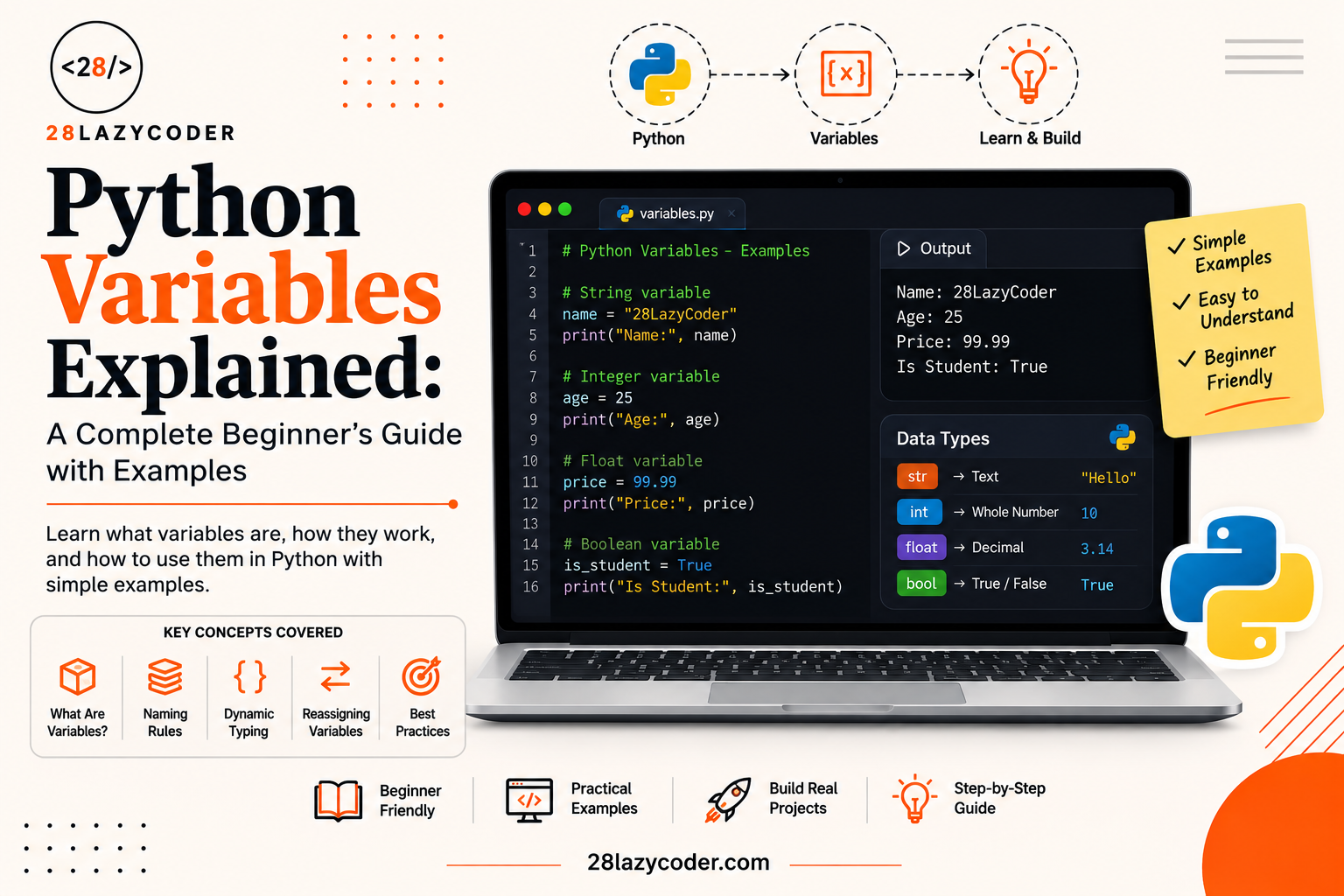
name = "Riya"
print("Hello,", name)
Here, name is the variable, and "Riya" is the value stored inside it. Whenever Python sees name later in the code, it goes and fetches "Riya" for you just like your phone fetching a number when you tap a saved contact.
Why Do We Even Need Variables?
Without variables, every program would be stuck using fixed, unchangeable data. You couldn’t ask the user for their age and then use it in a calculation. You couldn’t keep score in a game. You couldn’t remember anything.
Variables give your code memory. They let a program:
- Store information temporarily (like a user’s name or a score)
- Reuse that information without repeating it
- Update that information as the program runs
In short, variables are what make a program feel “alive” instead of just printing the same fixed text over and over.
How to Create (Declare) a Variable in Python
Here’s the good news: Python makes creating variables incredibly simple. In many other languages, you have to first announce what type of data a variable will hold before you use it. Python doesn’t ask for any of that.
To create a variable in Python, you just write a name, then an equals sign (=), then the value:
python
city = "Delhi"
temperature = 32
is_sunny = True
That’s it. No extra keywords, no special setup. This single step giving a name to a value using = is called variable assignment, because you’re “assigning” a value to a name.
A Quick Word on the = Sign
In maths class, = means “these two things are equal.” In programming, it means something slightly different: “take the value on the right, and store it in the name on the left.”
So age = 18 doesn’t mean “age equals 18” the way an equation would. It means “put the value 18 inside a box, and label that box age.”
This small mindset shift trips up a lot of beginners at first, so it’s worth remembering early on.
Python Figures Out the Type for You
Unlike some languages where you must state upfront that a value is text, or a whole number, or a decimal, Python automatically figures out what kind of data you gave it. This is called dynamic typing the “type” (kind of data) is decided automatically, while the program runs, instead of being fixed in advance.
If you’ve explored variables in other languages before, this will feel familiar our guide on PHP variables covers a similar idea, though PHP handles some of these rules a little differently.
Rules for Naming Python Variables
Python is friendly, but it’s not completely free-for-all when it comes to naming variables. There are a few rules you must follow, and a few good habits that make your code much easier to read.
The Must-Follow Rules
- A variable name can only contain letters, numbers, and underscores (
_). No spaces, no symbols like@or-. - A variable name cannot start with a number.
2namesis invalid, butnames2is fine. - Variable names are case-sensitive. This means
age,Age, andAGEare treated as three completely different variables. - You cannot use Python’s reserved keywords as variable names words that already have a special meaning in Python, like
if,for,class, orprint.
python
# Valid variable names
user_age = 21
_score = 100
total2 = 500

# Invalid variable names (these will cause errors)
2total = 500      # starts with a number
user-age = 21     # contains a hyphen
class = "10th"    # "class" is a reserved keyword
Good Habits (Not Rules, But Highly Recommended)
- Use names that describe what the value actually is.
ageis far more helpful thanxora1. - For multi-word names, most Python programmers use snake_case lowercase words separated by underscores, like
total_priceoris_logged_in. - Keep names reasonably short but still clear.
number_of_students_in_classworks, butn_studentsis often cleaner.
Good naming might feel like a small detail now, but six months from now, when you (or someone else) reopen this code, clear variable names will save a lot of confusion.
Python Variable Types
Even though Python figures out the type automatically, it’s still important to understand the common types of values you’ll be storing in variables. Here are the ones you’ll use constantly as a beginner:
| Type | What It Stores | Example |
|---|---|---|
int | Whole numbers (no decimal point) | age = 21 |
float | Decimal numbers | price = 49.99 |
str | Text, wrapped in quotes | name = "Aarav" |
bool | Only True or False | is_student = True |
You can check the type of any variable using Python’s built-in type() function a handy tool while you’re still learning:
python
score = 95
print(type(score))   # Output: <class 'int'>
If you’ve compared data types in other languages before, you might notice some overlap with our breakdown of PHP data types the core idea of grouping values into “kinds” exists in almost every programming language, even though the exact type names differ.
A Note on Text (Strings) in Python
Any value wrapped in either single quotes ('...') or double quotes ("...") is treated as text, technically called a string in programming. Python doesn’t mind which quote style you use, as long as you’re consistent:
python
first_name = 'Meera'
last_name = "Shah"
Changing a Variable’s Value
One of the most useful things about variables is that their value isn’t locked in forever that’s exactly why they’re called “variables” and not “constants.” You can update the value stored in a variable at any point:
python
score = 10
print(score)   # Output: 10

score = 25
print(score)   # Output: 25
Python doesn’t complain here. The variable score simply now points to the new value, 25, and forgets the old one.
You can even change the type of data a variable holds, since Python doesn’t lock a variable to one type permanently:
python
data = 100        # currently a number
data = "hundred"  # now it's text Python allows this
While this flexibility is convenient, it’s usually best practice to keep a variable’s purpose consistent throughout your program, so your code stays predictable and easy to follow.
Updating a Variable Using Its Own Value
A very common pattern in programming is updating a variable based on its current value for example, increasing a score after a correct answer:
python
score = 10
score = score + 5
print(score)   # Output: 15
Python also gives you a shortcut for this, so you don’t have to type the variable name twice:
python
score += 5 # same as: score = score + 5This shortcut also works with -=, *=, and /= for subtraction, multiplication, and division.
Assigning Multiple Variables at Once
As your programs grow, typing one variable per line can get repetitive. Python lets you assign several variables in a single line, which keeps your code shorter and neater:
python
name, age, city = "Kabir", 22, "Mumbai"

print(name)   # Output: Kabir
print(age)    # Output: 22
print(city)   # Output: Mumbai
You can also give the same value to multiple variables in one go:
python
x = y = z = 0Here, x, y, and z all get the value 0. This is handy when you’re setting up several counters or scores that should all start from the same point.
Constants in Python
A constant is a value that isn’t supposed to change while the program runs think of things like the value of pi, or a fixed tax rate.
Here’s an interesting fact: Python doesn’t actually have a built-in way to force a variable to stay unchangeable, unlike some other languages. Instead, Python programmers follow a simple convention: they write constant names in ALL CAPS to signal to anyone reading the code, “please don’t change this.”
python
PI = 3.14159
MAX_LOGIN_ATTEMPTS = 3
Python won’t stop you from changing PI later, but writing it in capital letters is a clear, universally understood hint that you shouldn’t.
Common Beginner Mistakes with Variables
Almost everyone makes these mistakes while learning so if you’ve already run into one, don’t worry, it’s part of learning to code.
1. Using a Variable Before Creating It
python
print(marks)   # Error! marks hasn't been created yet
marks = 90
Python reads your code from top to bottom. If you try to use a variable before that line where you first assign it a value, Python won’t know what you’re talking about.
2. Mixing Up Text and Numbers
python
age = "21"
print(age + 5)   # Error! You can't add text and a number directly
Here, "21" is stored as text (because of the quotes), not as a number. Python won’t automatically combine text and numbers you’d need to convert "21" into a real number first using int(age).
3. Typing Variable Names Inconsistently
Remember, Python is case-sensitive. If you create userName but later try to use username, Python will treat them as two completely different, unrelated variables and likely throw an error.
4. Forgetting Quotes Around Text
python
city = Delhi # Error! Python thinks "Delhi" is a variable name, not textWithout quotes, Python assumes Delhi is meant to be another variable and since one doesn’t exist, it throws an error. The fix is simple: city = "Delhi".
Conclusion
So, what’s a variable in Python, in one simple sentence? It’s a labelled box that stores a piece of information so your program can use, reuse, and update it whenever it needs to.
You’ve now learned how to create variables, the rules and habits around naming them, the common types of data they hold, how to update their values, and the small mistakes to watch out for. This might feel like a small topic, but honestly, variables are the foundation almost every other Python concept is built on from loops to functions to entire applications.
Take a few minutes right now and open a Python editor. Try creating a few variables of your own your name, your age, your favourite hobby and print them out. That small bit of practice will make everything click much faster than just reading about it.
FAQs
Q1. What is a variable in Python, in simple words? A variable is a name you give to a value so you can store it and use it again later in your code, without retyping the value every time.
Q2. Do I need to declare the type of a variable in Python? No. Python automatically detects the type of data (text, number, decimal, etc.) based on the value you assign, so you never need to state it separately.
Q3. Can I change the value of a variable after creating it? Yes. That’s exactly what makes it a “variable” you can update its value, and even change its type, at any point in your program.
Q4. Are Python variable names case-sensitive? Yes. Score, score, and SCORE are treated as three completely different variables in Python.
Q5. What happens if I use a Python keyword as a variable name? Python will throw an error, because keywords like if, for, and class already have a special, reserved meaning in the language and can’t be reused as names.
Q6. Does Python have true constants? Not built-in ones. Python developers simply write constant names in ALL CAPS as a convention to show that a value shouldn’t be changed, even though Python technically still allows it.
Continue Learning
Want to keep building your Python foundation? Check out these guides on 28LazyCoder:
- What is Python Language? A Beginner’s Guide
- PHP Variables: Everything You Need to Know
- PHP Data Types Explained: A Complete Beginner’s Guide
- What is Artificial Intelligence? A Beginner’s Guide
- Browse more tutorials on the 28LazyCoder Blog
Trusted External Resources
- Python Official Documentation download Python and read the official beginner’s guide
- Python Variables Tutorial on W3Schools simple, example-based lessons
- Python Variables on GeeksforGeeks deeper explanations and practice problems